Why connect Odoo with TikTok Shop?
TikTok Shop has become one of the fastest-growing e-commerce channels in the world, turning short-form content directly into sales. For businesses already running Odoo as their ERP backbone, managing TikTok Shop separately means maintaining two systems, duplicating product data, manually reconciling orders, and constantly chasing inventory accuracy across disconnected platforms. Every order that comes in through TikTok Shop has to be entered into Odoo by hand. Every stock update made in Odoo has to be pushed back to TikTok Shop manually. Every refund, every shipping update, every product change creates another opportunity for delay and error.
The Odoo TikTok Shop Connector by Creyox eliminates this friction entirely. It creates a live, two-way bridge between your Odoo backend and your TikTok Shop storefront automatically syncing products, inventory levels, orders, refunds, and shipping data without any manual intervention so your team works from one system and TikTok Shop stays accurate in real time.
Overview
The Creyox Odoo TikTok Shop Connector is a complete TikTok Shop Odoo Connector module designed to automate and centralize your eCommerce operations. It enables real-time synchronization between Odoo and TikTok Shop, ensuring that product data, inventory levels, and order details remain consistent across both platforms. With this Odoo TikTok Shop Connector module, businesses can push product details, images, and stock from Odoo to TikTok Shop while automatically importing orders, customer information, and shipping data into Odoo. Real-time webhook notifications ensure instant updates whenever new orders are placed or statuses change. For example, when a customer places an order on TikTok Shop, it is instantly created in Odoo with complete product, customer, and shipping details allowing your team to process and fulfill orders without any manual data entry.
The module also supports multi-shop management, making it ideal for businesses handling multiple TikTok stores. Advanced features like customizable order status mapping, fallback warehouse configuration, and automated workflows help streamline operations. Built-in logging and error tracking ensure smooth integration, while scheduled synchronization guarantees continuous data flow.
Hot Features
◆ Product & Inventory Synchronization.
◆ Easy-to-Configure Settings.
◆ Real-Time Inventory Sync.
◆ Automated Order Processing.
◆ Product Image Synchronization.
◆ Multi-Shop Management.
◆ Customizable Order Status Mapping.
◆ Automated Logging.
◆ Seamless Communication.
◆ Error Tracking.
◆ Real-time Webhooks Notification.
◆ Fallback Warehouse Configuration.
◆ Real-time Notifications.
◆ Scheduled Data Synchronization.
◆ Improved Efficiency.
Features
◆ Effortless Data Transfer.
◆ Auto-fetch Shipping Data.
◆ Customer Notifications.
◆ Category Mapping.
◆ Custom Order Prefixes.
◆ Auto-fetch Logistics Data.
◆ Stock Export Configuration.
◆ Continuous Synchronization.
◆ Auto Workflow Configuration.
◆ Real-Time Response Capture.
◆ Troubleshooting.
◆ User-Friendly Setup.
◆ Bulk Order Import.
◆ Returns Handling.
◆ Multi-Shop Support.
◆ User-Friendly Configuration.
◆ Detailed Logging System.
◆ Automated Product Updates.
◆ Refund Handling.
◆ Bulk Product Export.
◆ Bulk Product Import.
◆ Import Warehouse details.
◆ Import Shop details.
◆ Import Orders details.
◆ Automatic Contact Creation.
Work Flow
◆ Navigate to Settings >> Tiktok Shop.
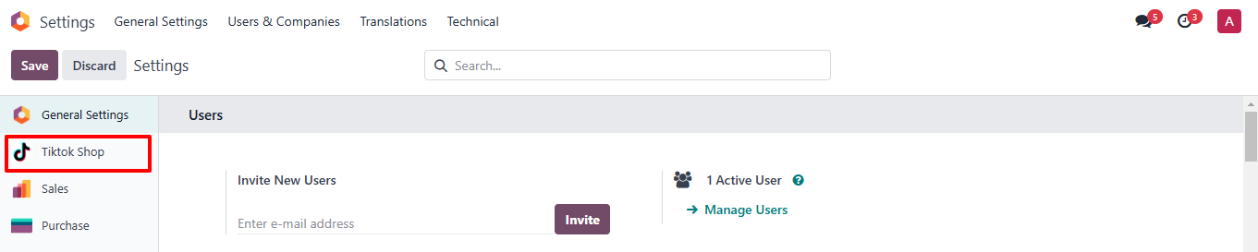
◆ Select The Tiktok Shop Configuration From Here.
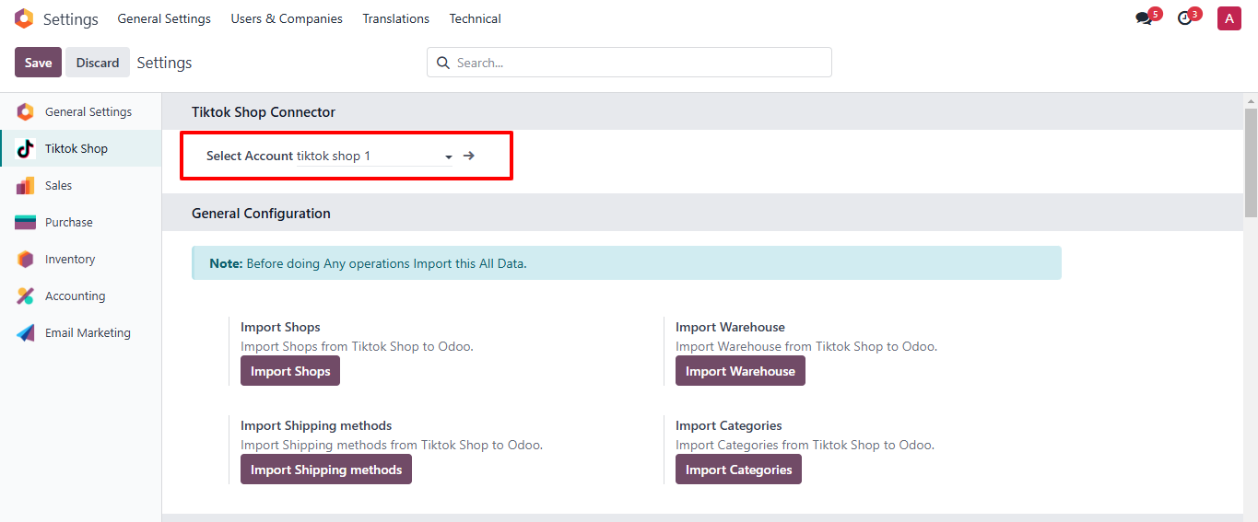
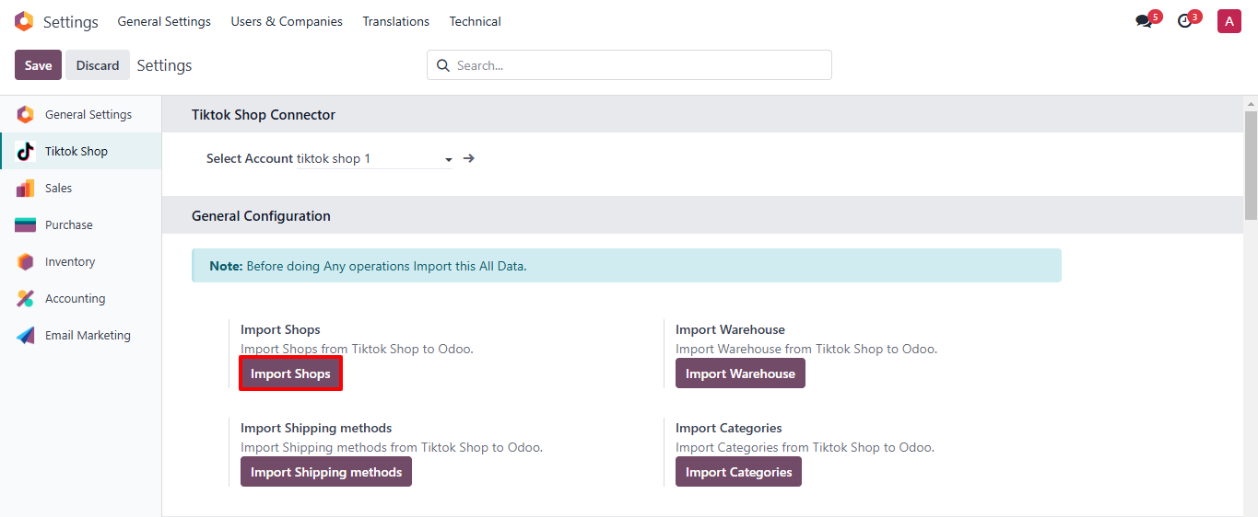
◆ Click on button Import Shops To fetch Shops From Tiktok Shop
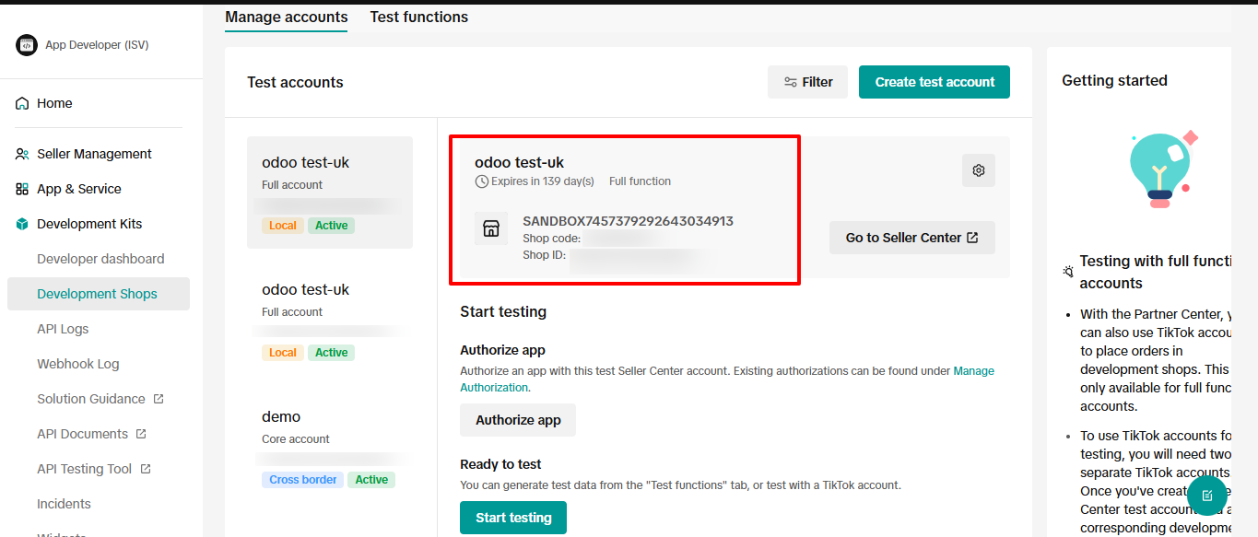
◆ The Active Shop in Tiktok Shop.
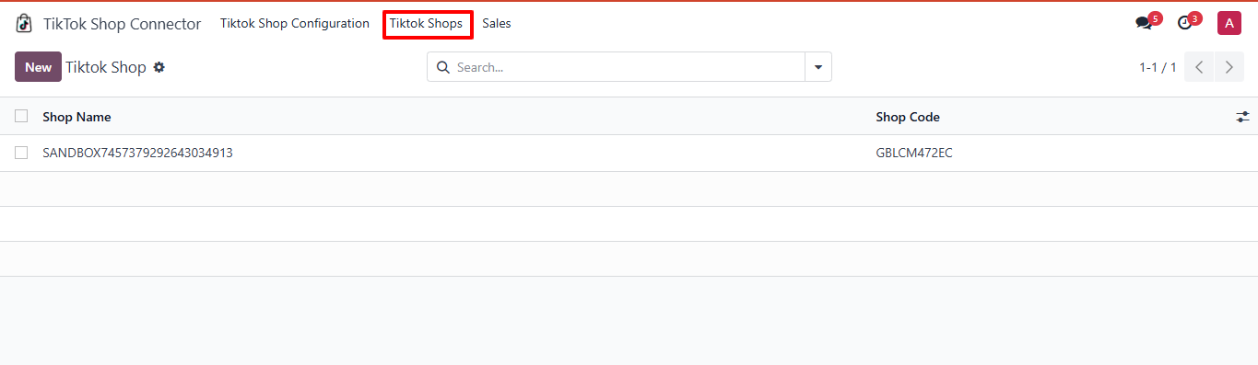
◆ Navigate to Tiktok Shop Connector>>Tiktok Shop>> Here you can find imported Shops.
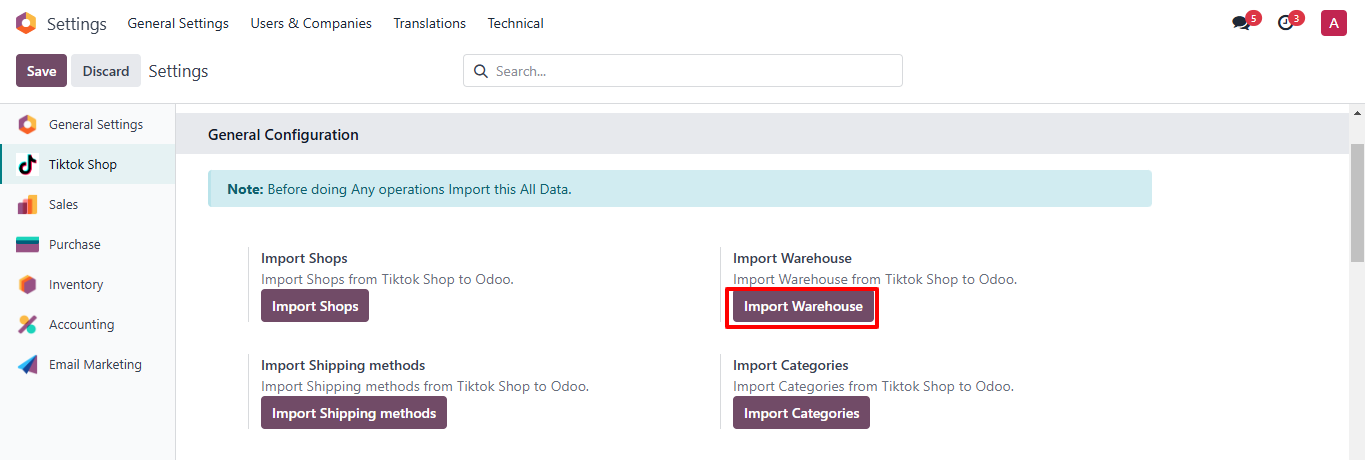
◆ Click on button Import Warehouse To fetch Warehouses From Tiktok Shop.
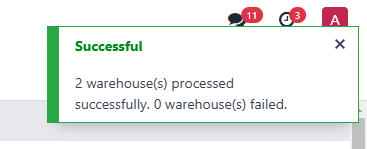
◆ The Active Warehouses in Tiktok Shop.
-
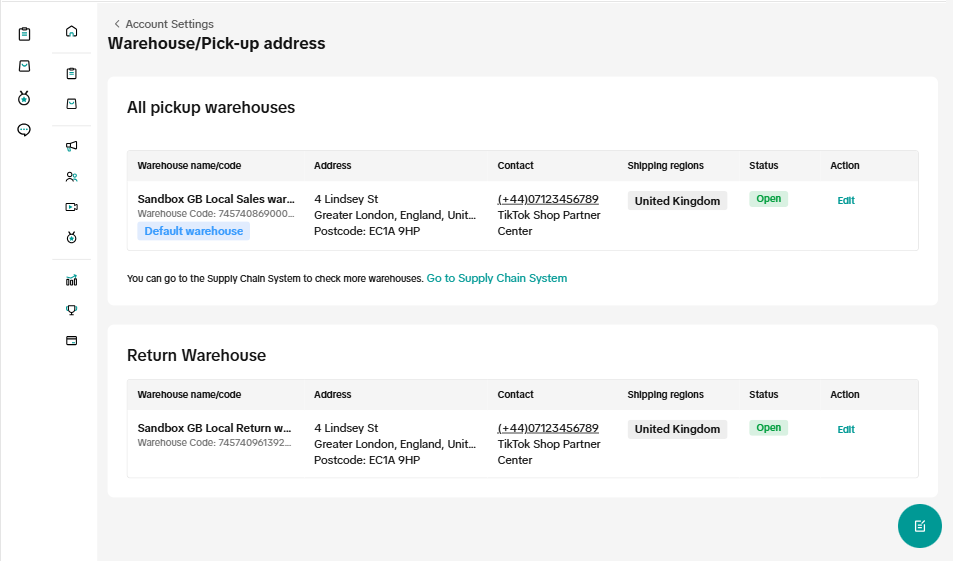
◆ Navigate to Inventory>>Configuration>> Warehouses >> Here you can find imported Warehouses.

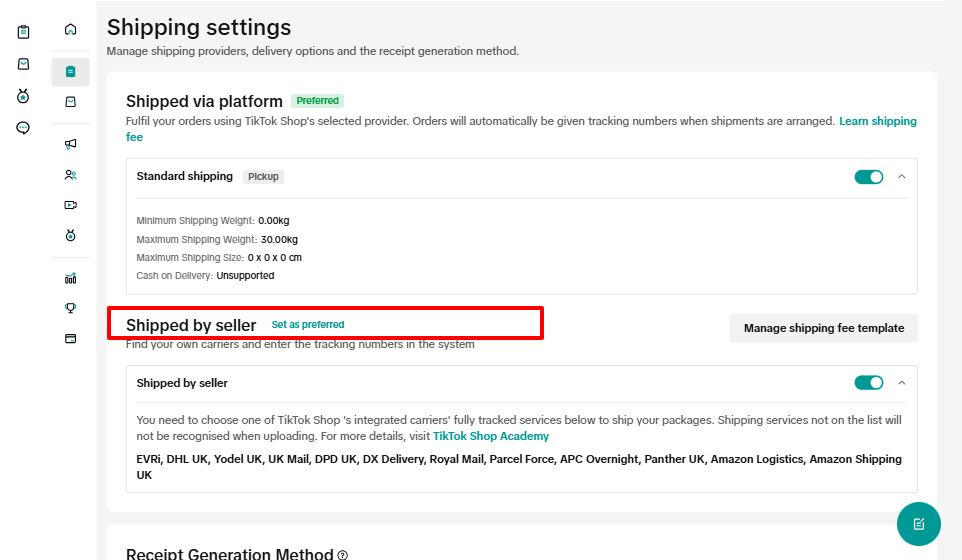
◆ Click on button Import Shipping methods To fetch Shipping methods From Tiktok Shop.
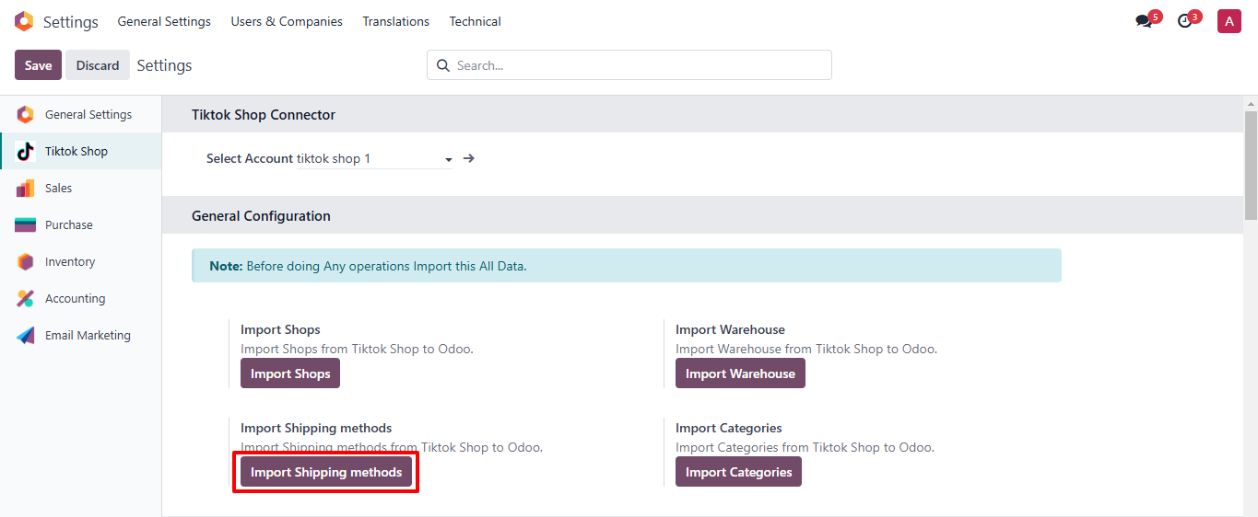
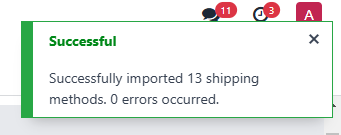
◆ Shipping Methods in Tiktok Shop.
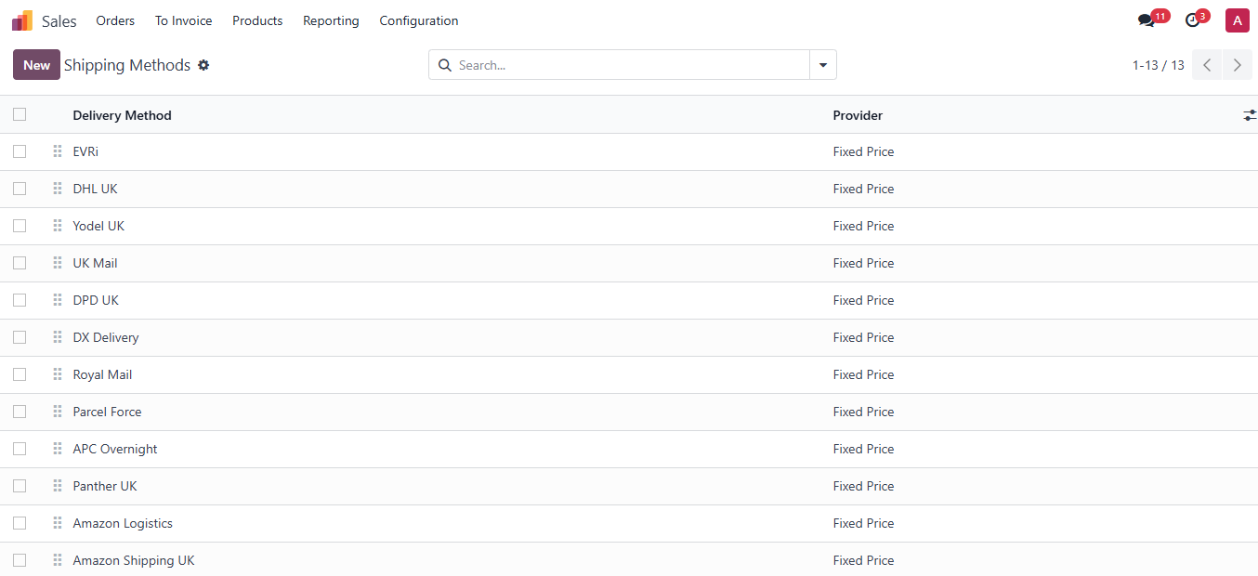
◆ Navigate to Sales>>Configuration>> Shipping Methods >> Here you can find imported Shipping Methods.
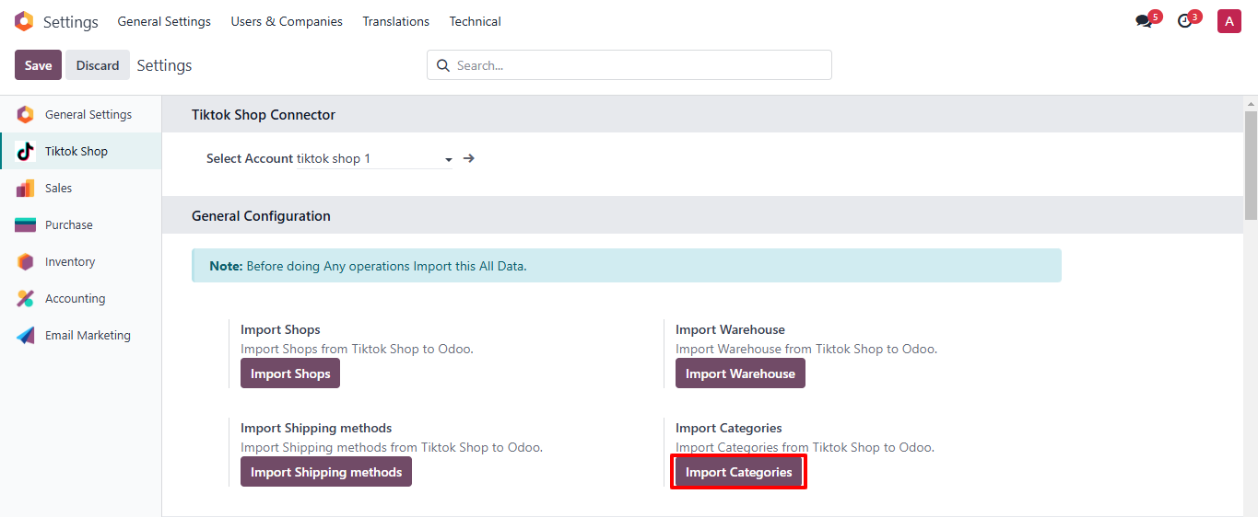
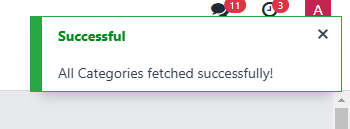
◆ Click on button Import Categories To fetch Categories From TikTok Shop.
◆ Navigate to Product Configuration.
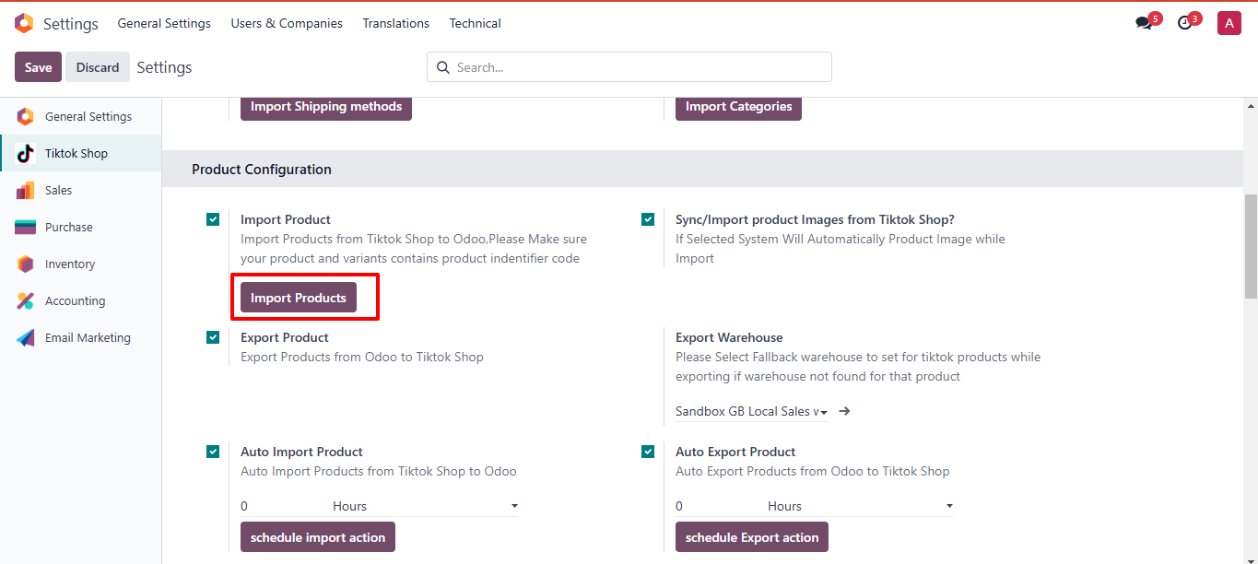
◆ Click on button Import Products To fetch Products From Tiktok Shop
◆ If you want to Auto Import Product Images then Select CheckBox Sync/Import product Images from Tiktok Shop
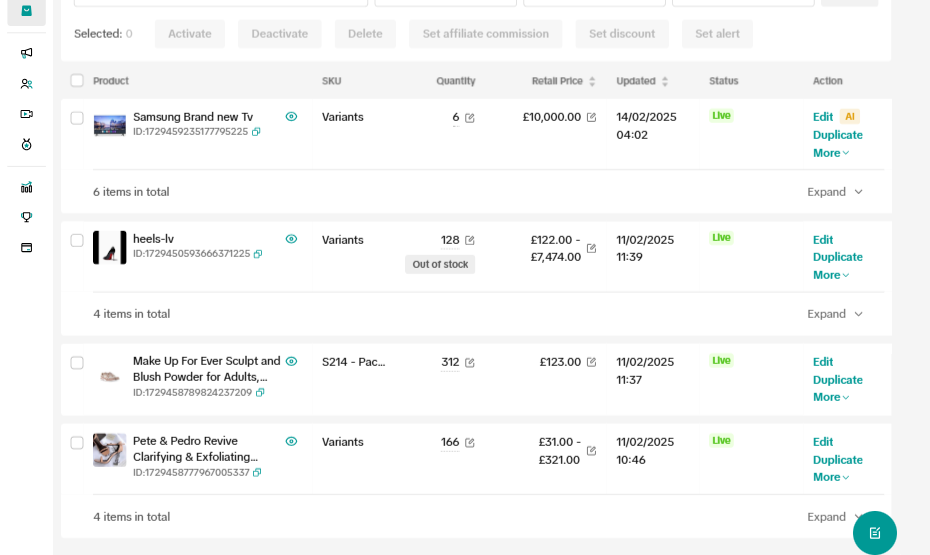
◆ The TikTok Shop Products.
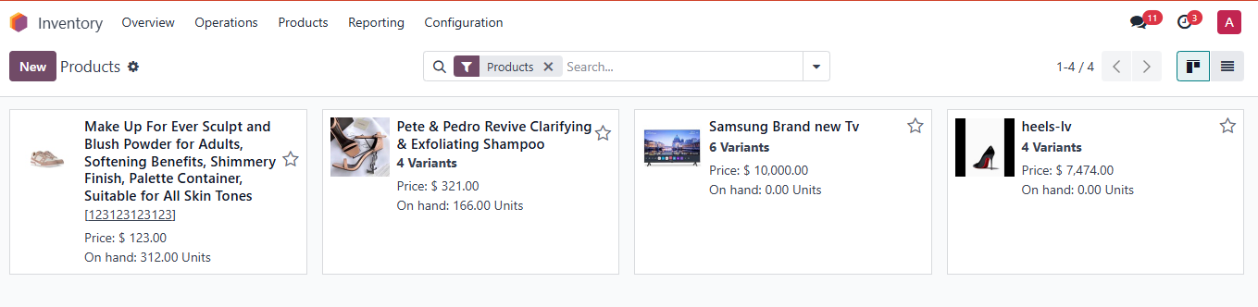
◆ Navigate to Inventory>> Products>> Here you can find imported Products.
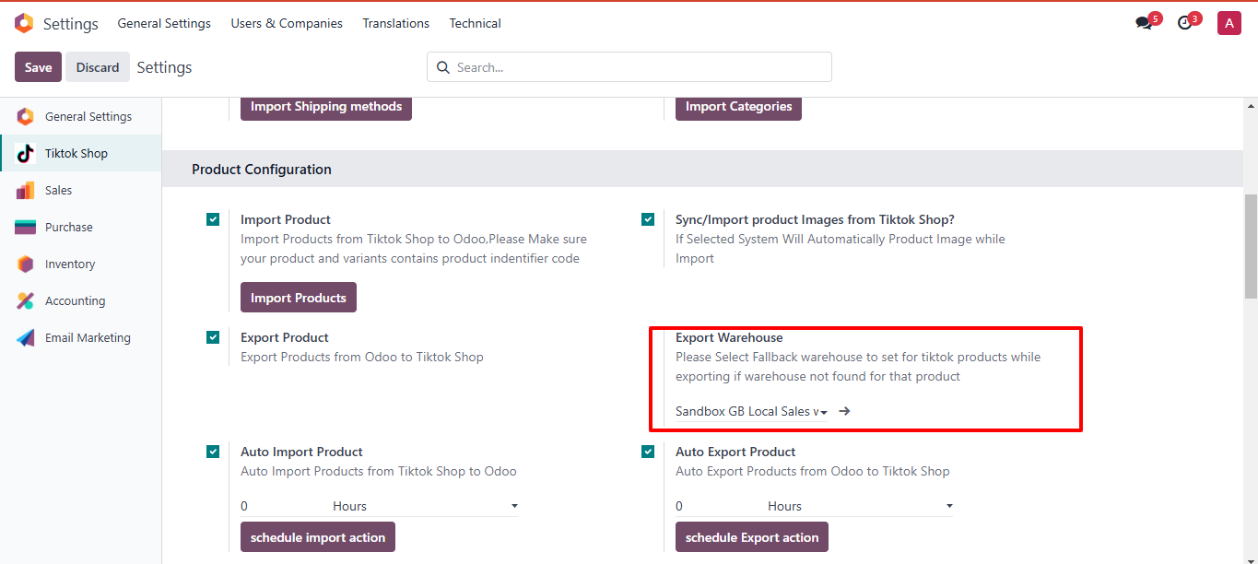
◆ Navigate to Export Warehouse>> Here you can configure Fallback Warehouse for products which are not associated with Tiktok Shop warehouses.
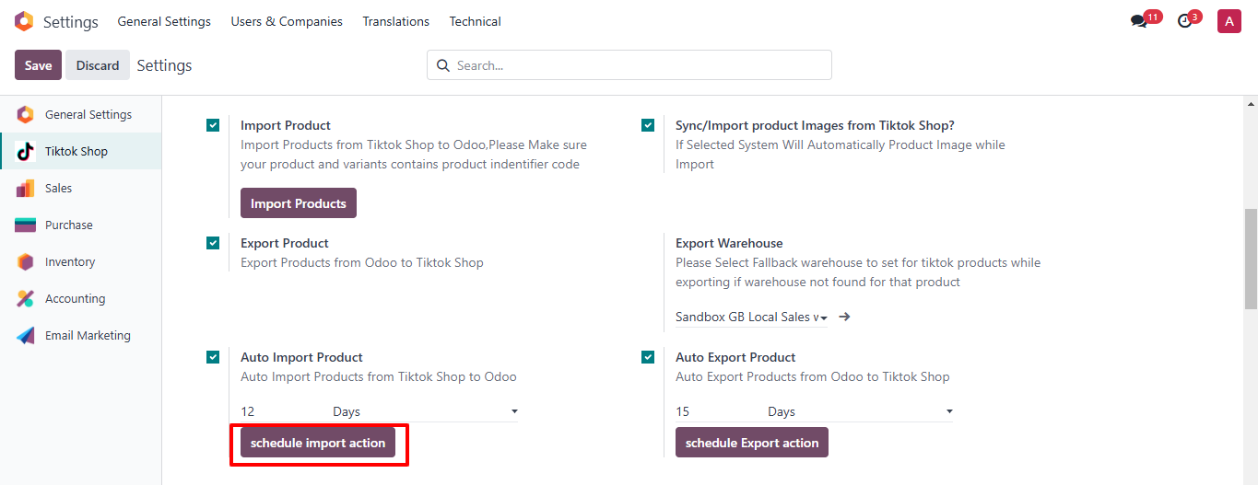
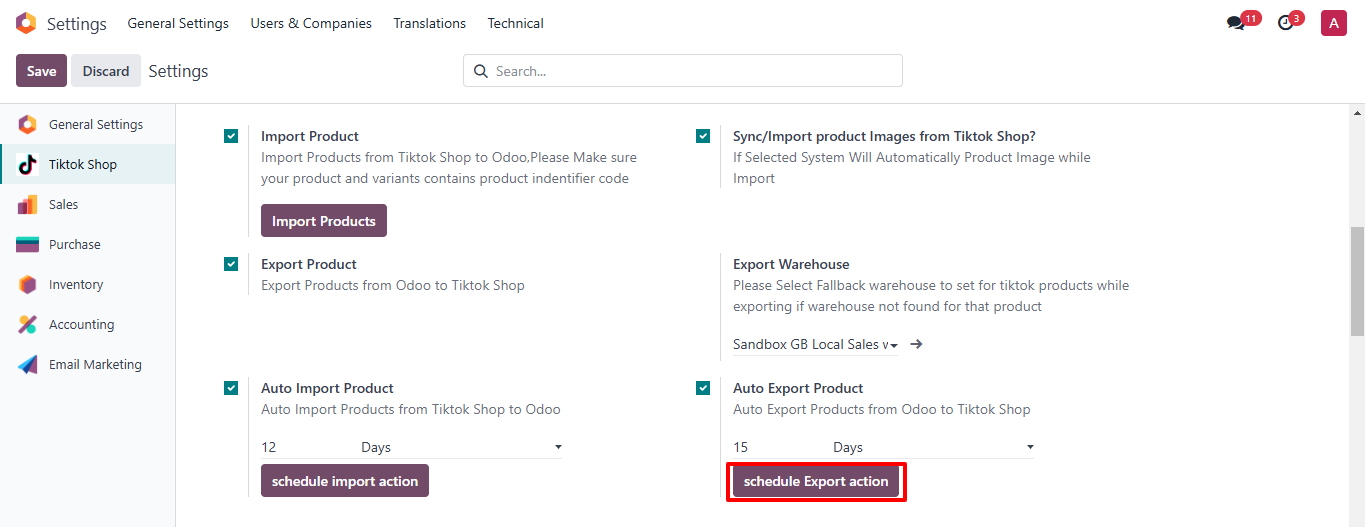
◆ To Automate Import and Export Product Details.
◆ Click on button Schedule Import Action To Create Scheduled Action to Auto Fetch Products.
◆ Click on button Schedule Export Action To Create Scheduled Action to Auto Export Products.
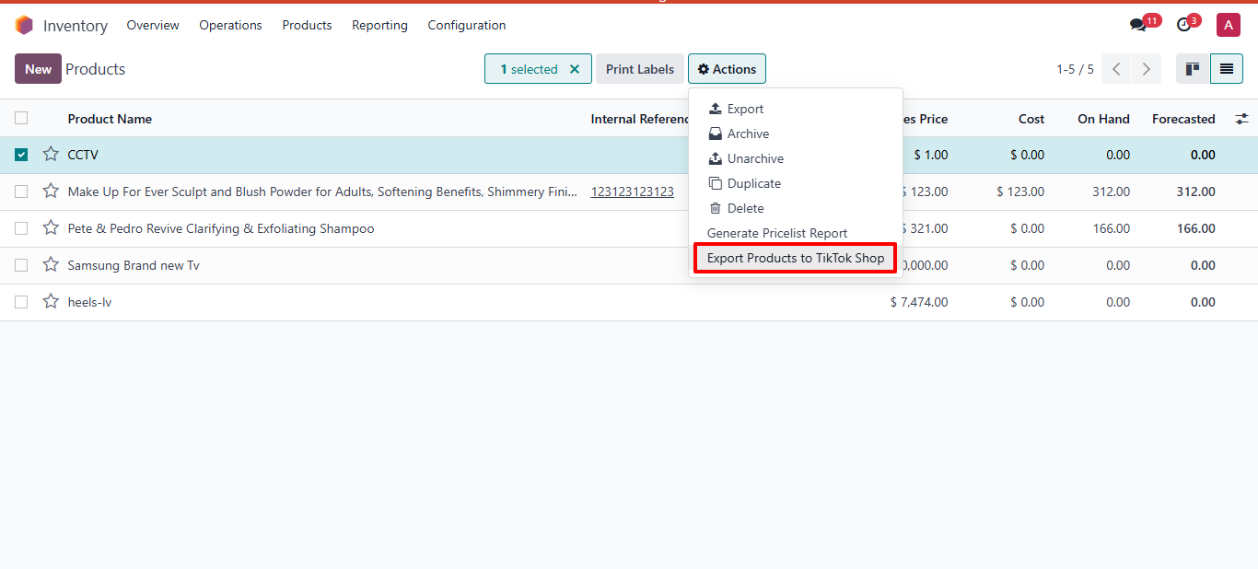
◆ Navigate to Inventory>>Products>>Actions.
◆ Select All the Products that u want to Export to Tiktok Shop
◆ Click on Export Products to TikTok Shop
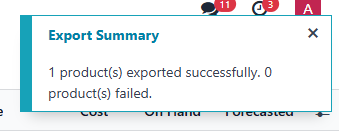
◆ Exported Product in TikTok Shop
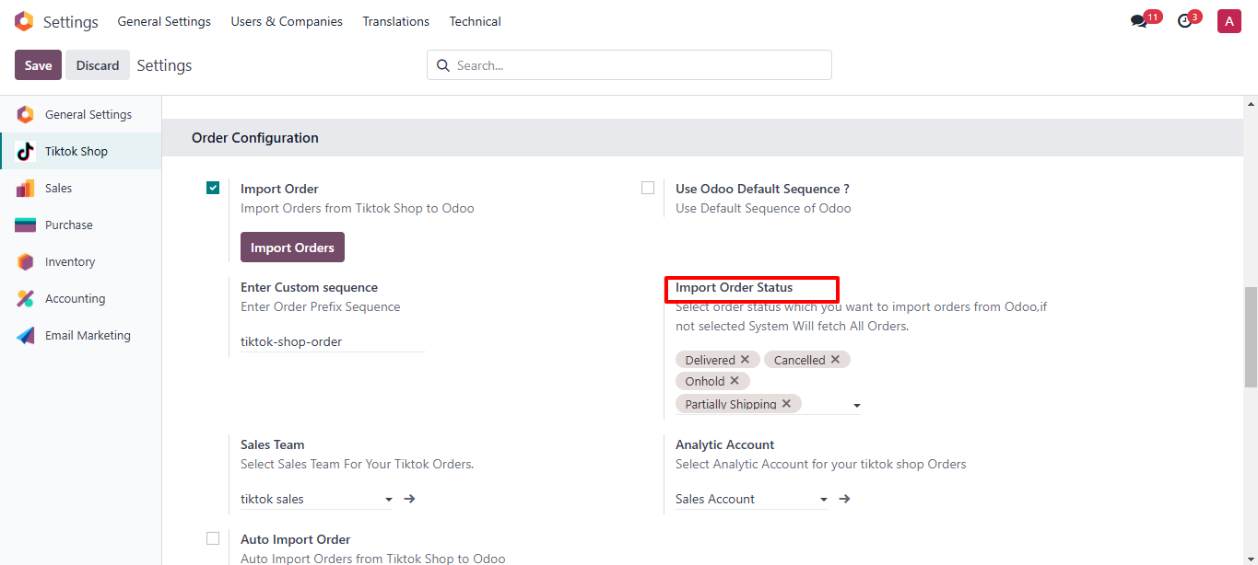
◆ Navigate to settings>>Order Configuration.
◆ Here You can select Status of Orders that you want to export
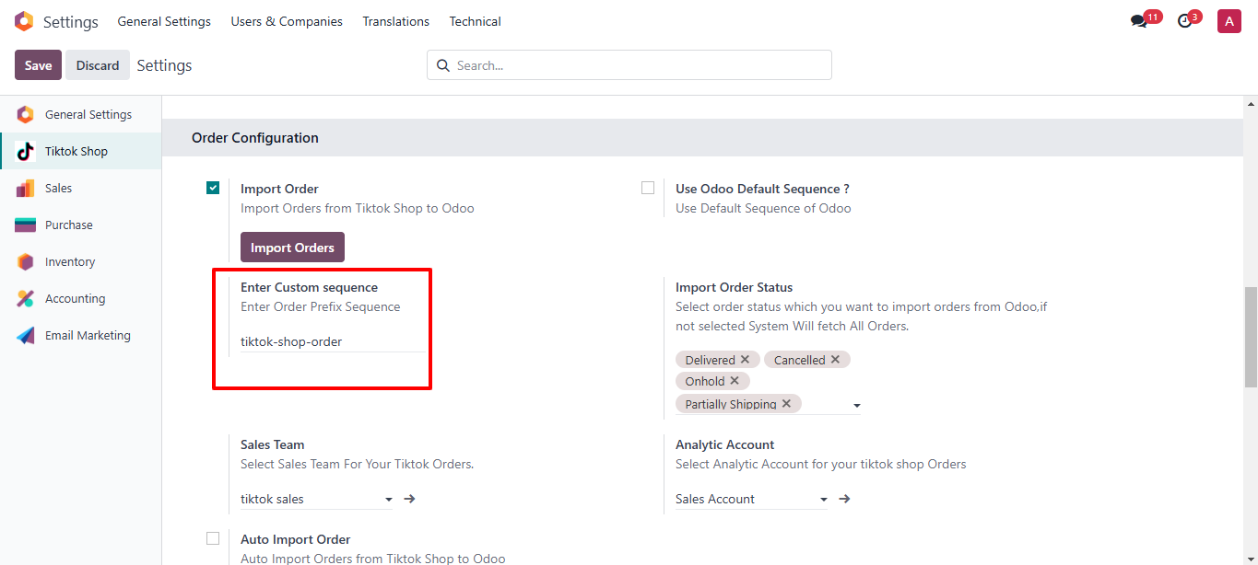
◆ Here you Can Enter custom Prefix for your Tiktok shop Orders.
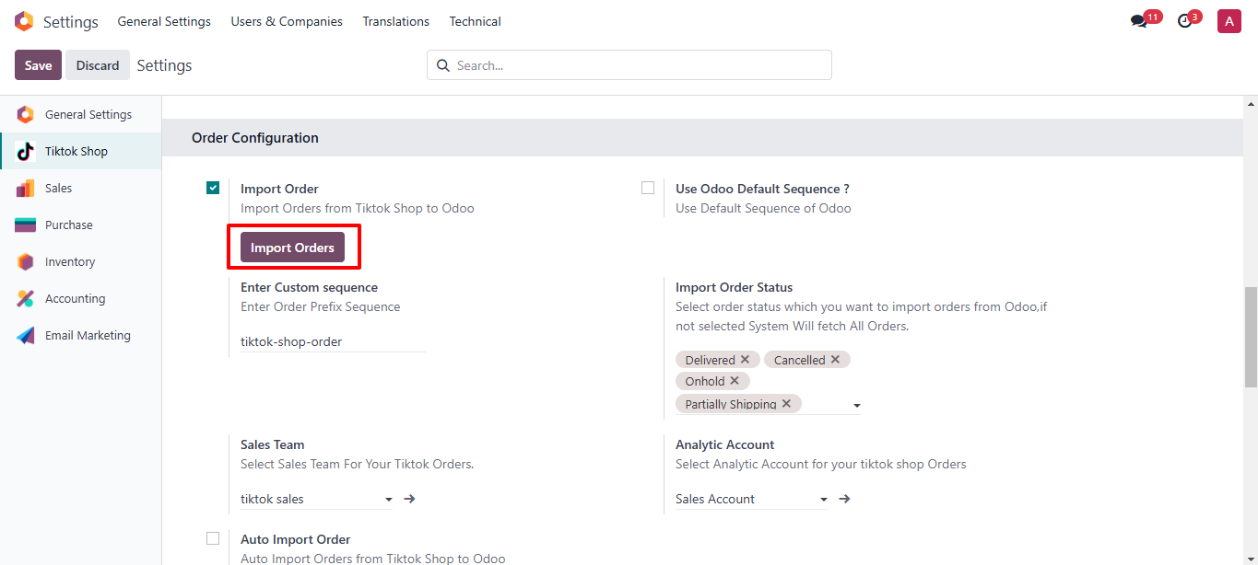
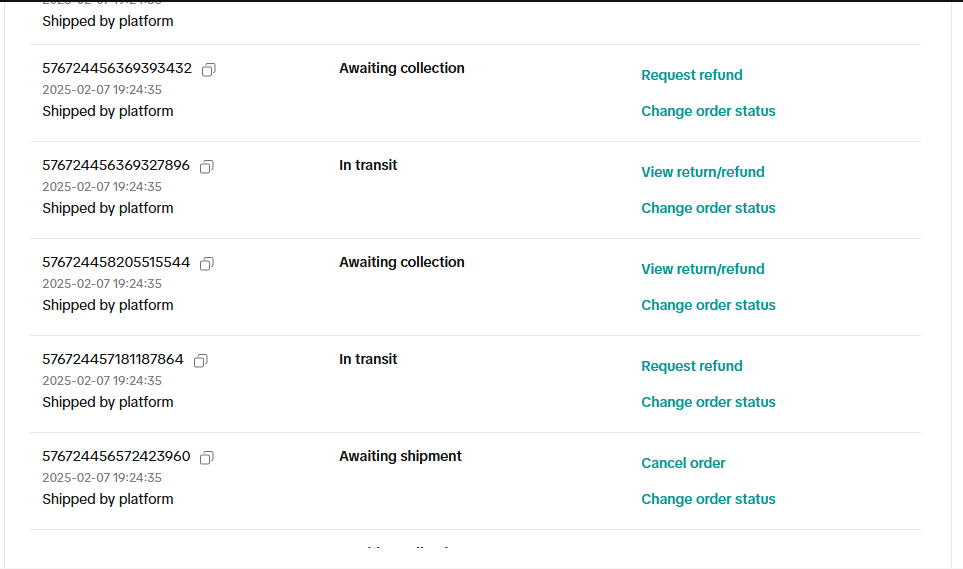
◆ Click on Button Import Orders to fetch orders from Tiktok shop.
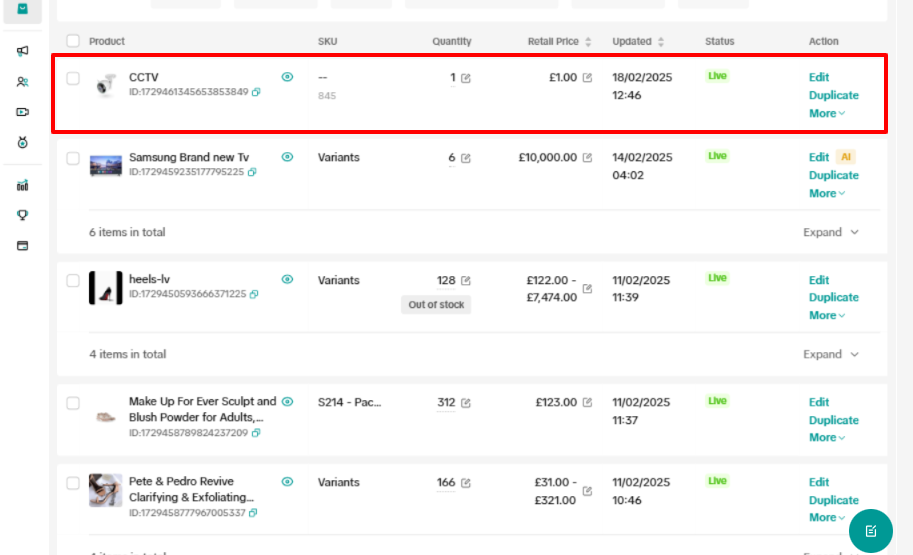
◆ Orders In TikTok Shop.
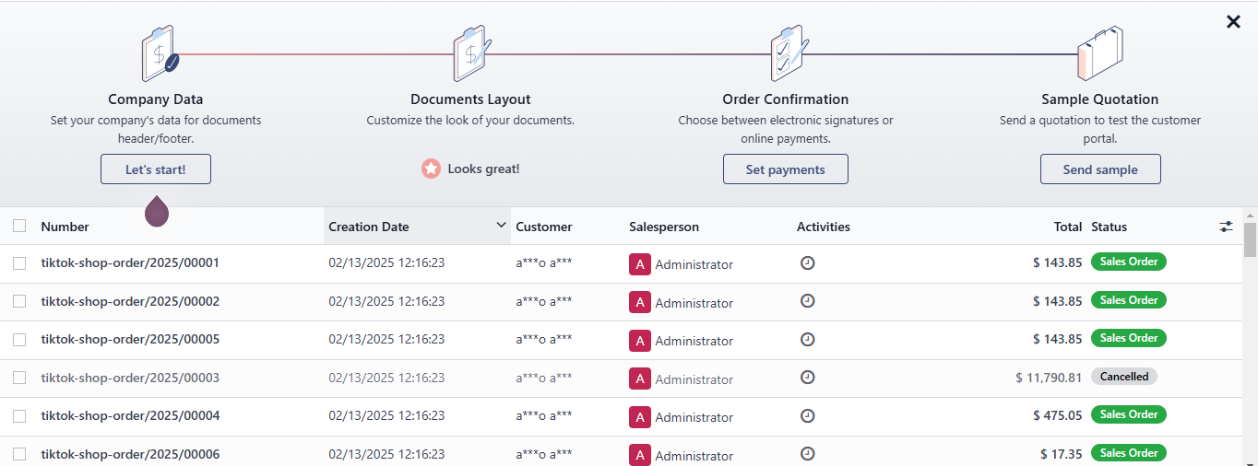
◆ Navigate to Sales>>Orders>>Here You can find Imported Orders.
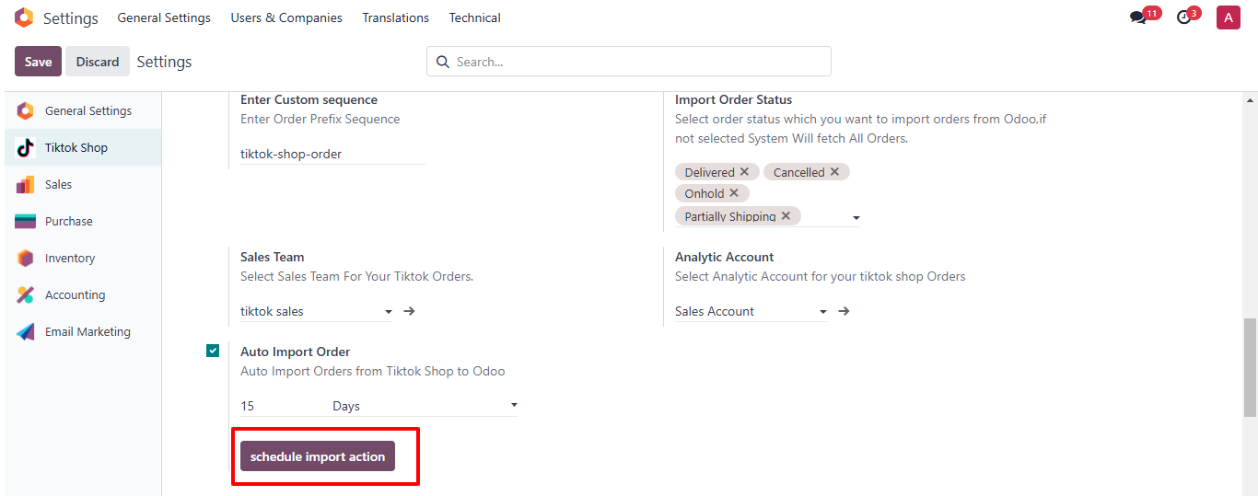
◆ To Automate Import Order Details.
◆ Click on button Schedule Import Action To Create Scheduled Action to Auto Fetch Orders.
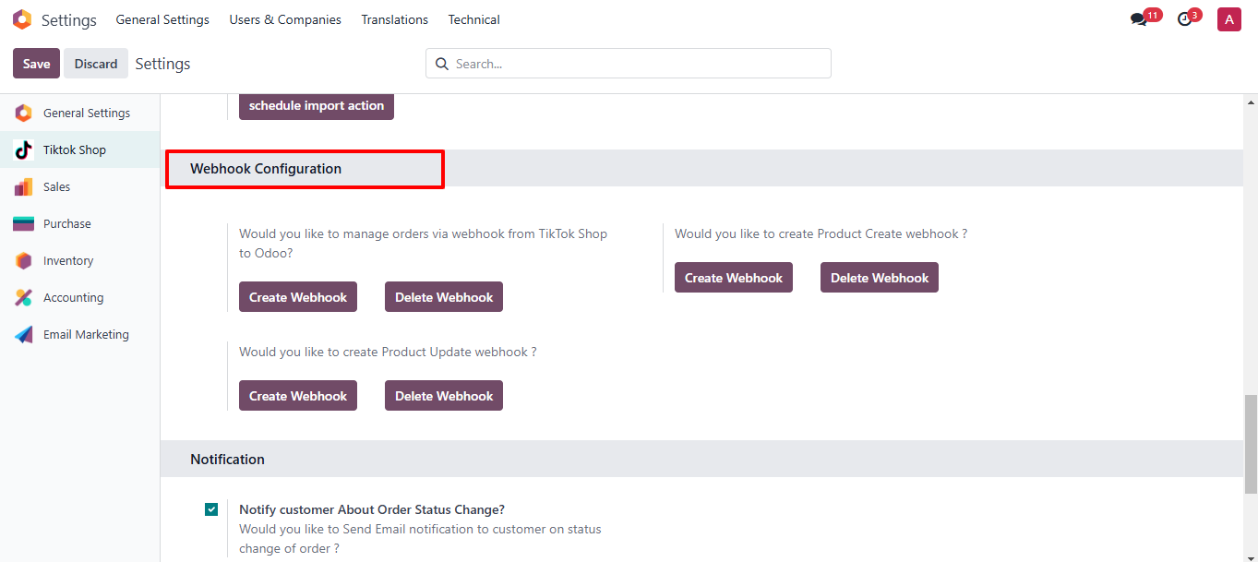
◆ Navigate to Webhook Configuration.
◆ Here You can create or delete Webhooks for Orders and Products.
◆ You'll receive real-time updates for order or product changes, and Odoo will automatically reflect those changes.
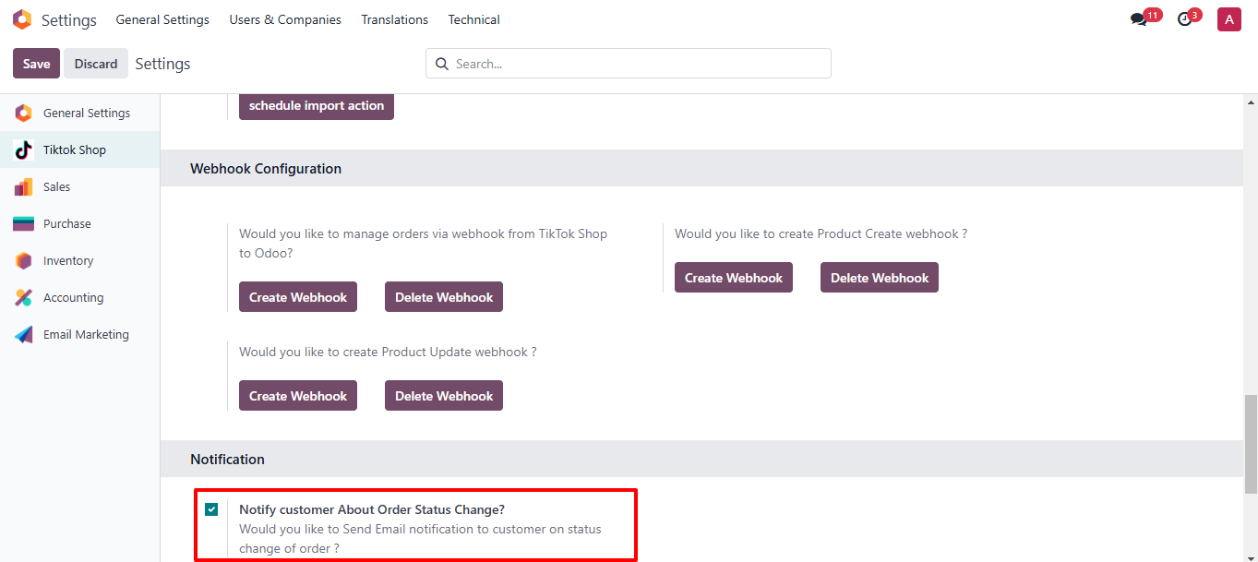
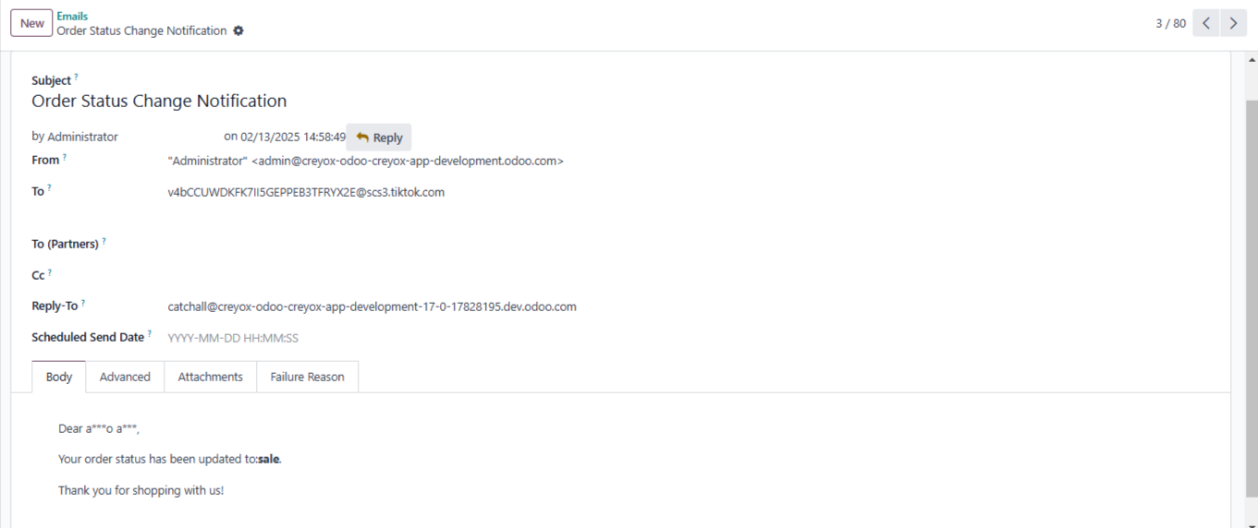
◆ Navigate to Notifications.
◆ If you want to send email to customer on change of order status you can configure it from here.
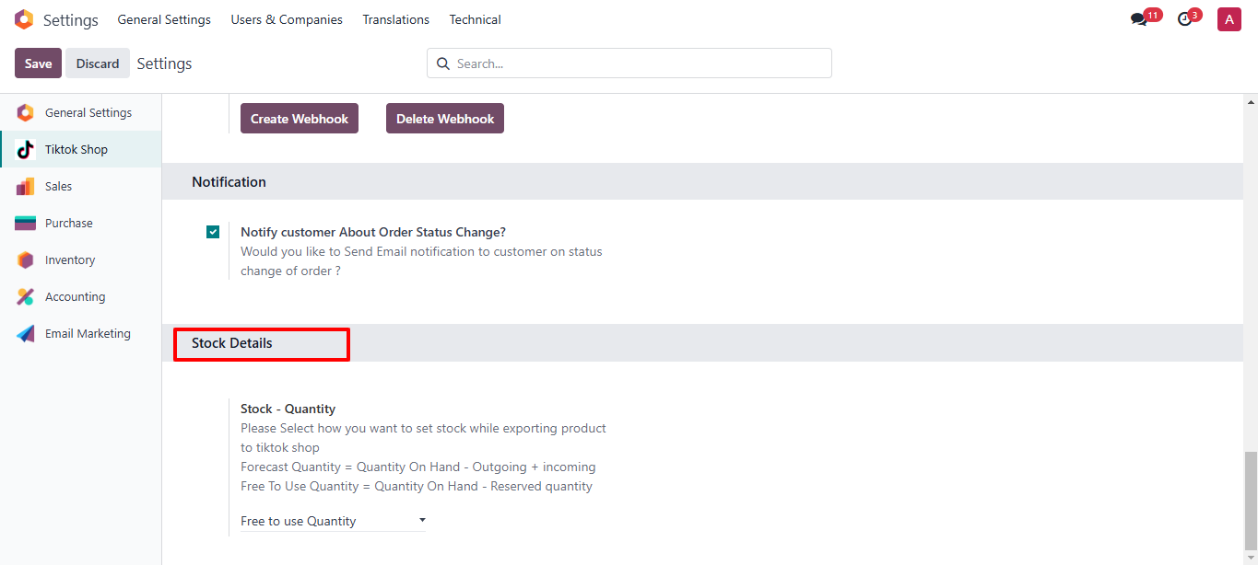
◆ Navigate to Stock Details.
◆ Here you can configure How you want stock to Export to Tiktok shop with products.
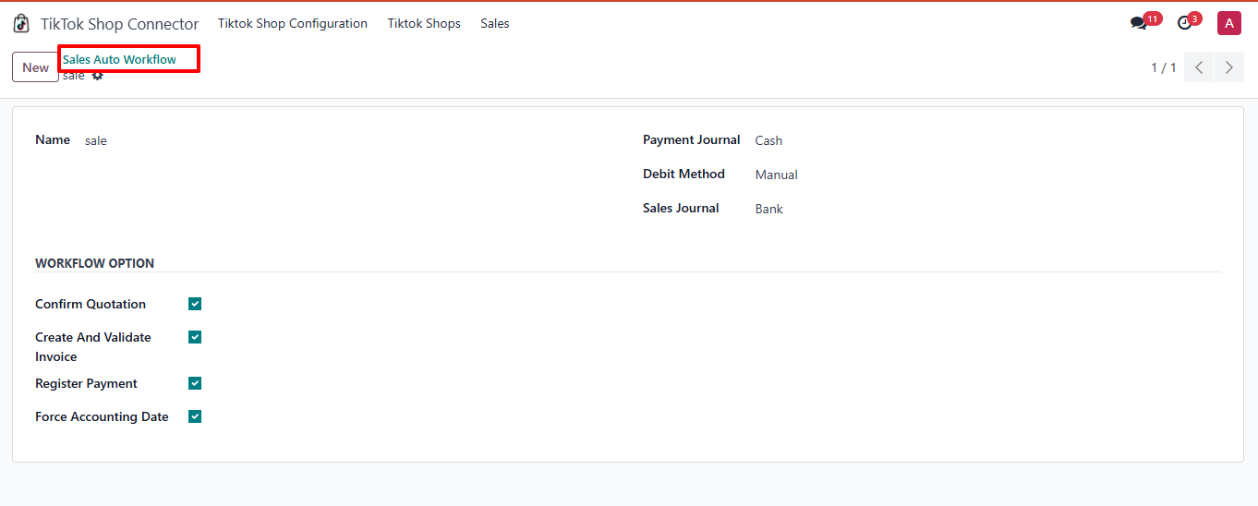
◆ Navigate to Tiktok shop Connector>>Sales >>Sales Auto Workflow.
◆ Here You can configure Auto Workflow for Tiktok Orders
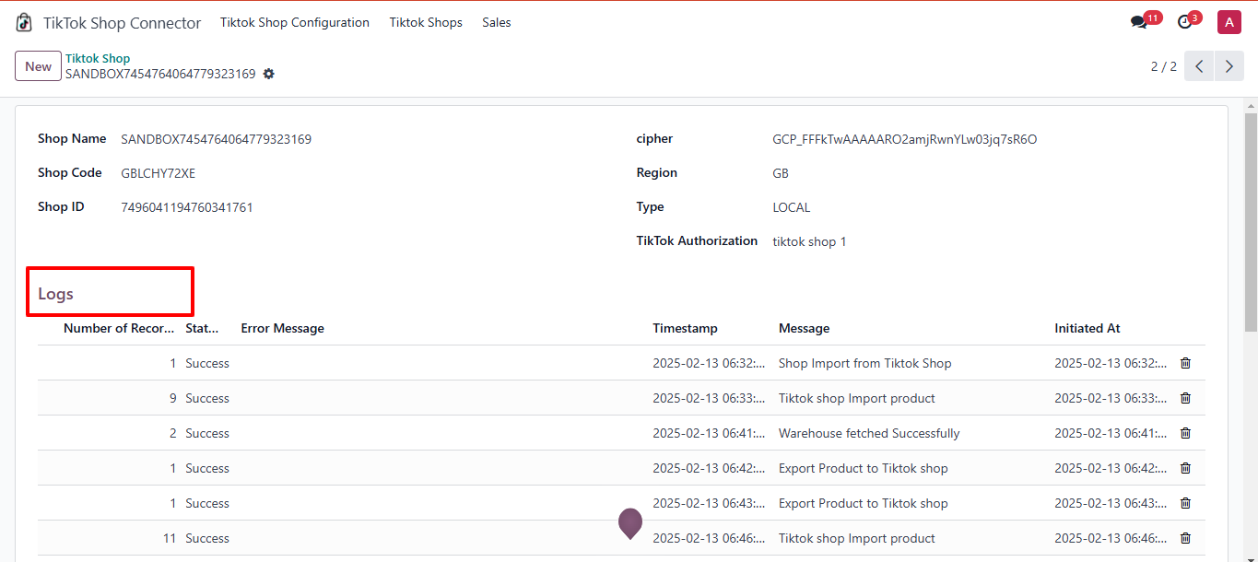
◆ Navigate to Tiktok shop Connector>>Tiktok Shop .
◆ Here You can Find Logs Related to that Shop.