Odoo 20 is one of the most substantial releases in the platform's recent history. It isn't a single flashy addition, it's a wide-reaching update that touches AI, Accounting, Sales, Inventory, HR, and dozens of country-specific localizations at once. If you run a business on Odoo, or you're evaluating it for the first time, understanding the scope of Odoo 20's new features will help you decide what matters for your operations and when it's worth moving.
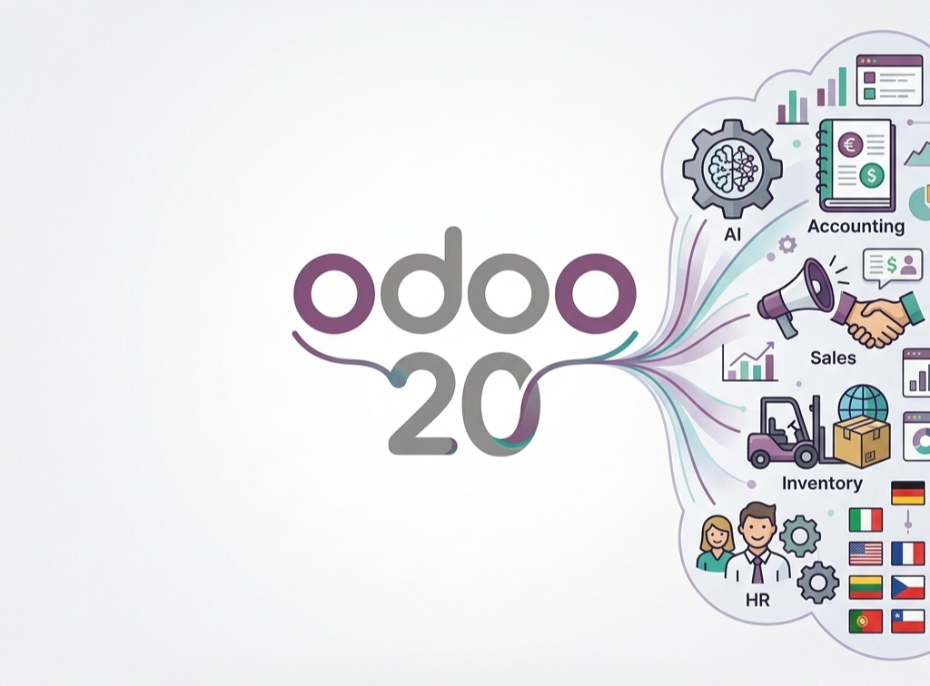
This release leans heavily into four themes: agentic AI automation, a reworked Accounting experience, a wave of new industry-specific packages, and deep localization updates across dozens of countries. Below, we break down what changed, why it matters, and what to check before you upgrade. If you'd rather have this mapped directly to your own setup, our Odoo implementation team can walk through it with you.
What's New in Odoo 20 at a Glance
Before diving into the details, here's a quick summary of the headline changes:
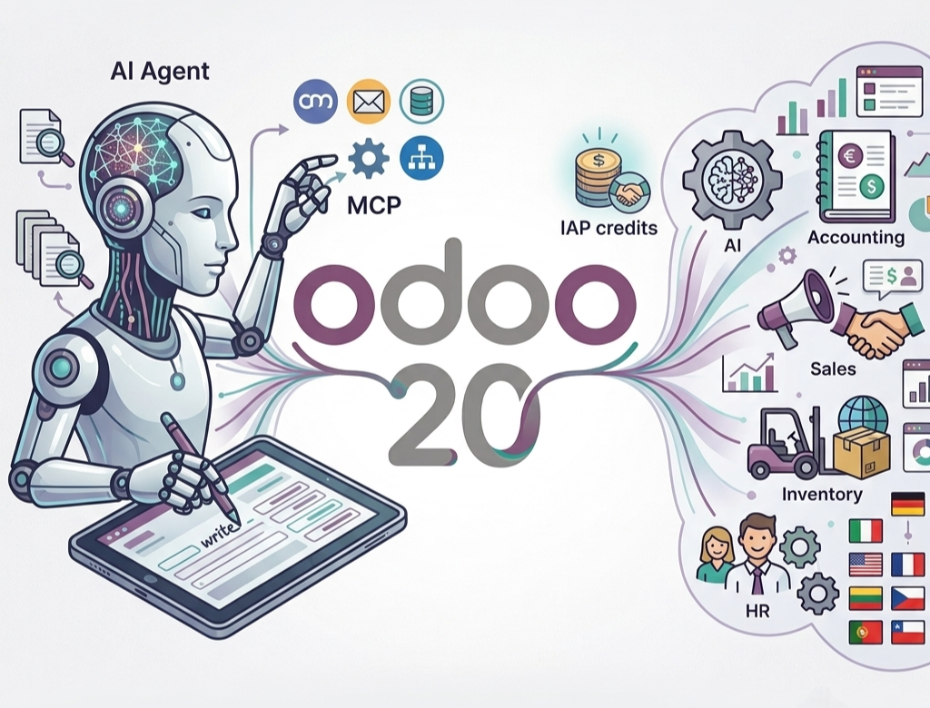
- AI agents are now central to the platform; they can create and update records, answer questions about files, and connect to external tools via MCP (Model Context Protocol).
- Accounting has been restructured around bank consistency, smarter bill entry, and simplified asset depreciation.
- Field Service has been merged into Planning, consolidating what used to be a separate app.
- Several new industry packages have launched, covering everything from property development to mental therapy practices.
- Localization updates span dozens of countries, with notable compliance work in Saudi Arabia, India, the UAE, and Brazil.
- AI features now require IAP credits, marking a shift in how AI usage is metered across the platform.
AI and Automation in Odoo 20
AI is the most visible shift in this release, and it goes well beyond a chat assistant bolted onto the interface.
AI agents can now create records, update existing ones, and answer questions about uploaded files directly inside a conversation. Agents also provide live, specific updates on what they're doing rather than a generic "thinking" indicator, and they can be summoned automatically through scheduled or automated actions not just triggered manually by a user.
What Odoo previously called "topics" the collections of instructions and tools that define how an agent behaves in a given context have been renamed "skills." Functionally, skills work the same way: they scope what an agent knows and can do. The rename reflects a broader shift toward treating agents as configurable specialists rather than general-purpose bots.
One of the more technical additions is MCP (Model Context Protocol) support, which lets you connect your Odoo database to external tools and services in a standardized way. If you want to see how the protocol itself works outside of Odoo, the official MCP documentation is a good technical reference. For IT teams, this opens the door to integrating Odoo more deeply into a broader software stack without custom point-to-point integrations, something our Odoo customization services team frequently gets asked to help scope out.
A few other AI updates worth knowing:
- The AI Website Assistant can now build entire webpages, edit menus, generate or source images, and add interactive elements like counters and tabs all from a description of what you want.
- Voice interaction lets users dictate requests directly to an AI agent.
- Odoo can now automatically select the best AI model for a given task based on the provider you've connected.
- Conversations with agents are stored for up to 30 days after the last message.
The most important operational change: all AI features now require IAP (In-App Purchase) credits, which are purchased separately. Any business planning to rely on AI agents should factor this into their budgeting before rolling out AI-heavy workflows.

Major Accounting and Finance Updates
Accounting sees some of the deepest structural changes in Odoo 20, aimed at reducing manual reconciliation work and tightening data integrity.
Bank consistency is now enforced at the system level; every journal entry that touches a bank account must originate from an actual bank transaction, which prevents manual entries from creating mismatches with your bank statements.
Bill line prediction uses your bill history to suggest the product, account, tax, and analytic distribution when you encode a new vendor bill, whether manually or via import. Manually entered values on existing lines are preserved, so the automation only fills gaps.
Asset management has been simplified: asset models have been replaced by depreciation models, which focus purely on the calculation logic for fixed assets, while related configuration now lives directly on the asset accounts. For the full technical breakdown of the module, Odoo's official Accounting app page is worth a look.
Other notable Accounting changes:
- Improved duplicate detection flags invoices with two levels of warning high-confidence duplicates (red) and lower-confidence potential duplicates (yellow) so nothing slips through during posting.
- Pay Bills from Odoo via a new PISP (Payment Initiation Service Provider) interface lets you pay bills individually or in batches with a single signature.
- Manual reconciliation now works on any account, and the old "Allow Reconciliation" checkbox has been renamed "Payment Reconciliation" for clarity.
- Payment statuses have been renamed "In Process" is now "Paid," and "Paid" is now "Reconciled" to better reflect where a payment actually stands.
For finance teams, these changes are less about new capability and more about tightening accuracy and reducing the manual cleanup that typically follows a busy accounting period. If your current Accounting setup relies on workarounds built for older versions, it's worth having it reviewed as part of any Odoo migration plan.

Sales, CRM, and eCommerce Improvements
Sales and CRM workflows get several practical upgrades rather than a full redesign.
Quotation templates now support subsections, options like "Hide Price" and "Hide Composition," and product catalog browsing directly inside the template. Any quotation or sales order can also be saved as a reusable template on the spot.
A new Sales dashboard sits atop the quotations and orders list views, giving a quick read on performance along with quick-filter buttons. Sales order lines no longer require a linked product by default you can create a line with just a description, with a setting available to enforce product selection where needed.
On the CRM side, lead distribution rules now let sales teams configure member assignment as "Always in rotation," "In rotation with a limit," or "Out of rotation," giving managers finer control over how leads get distributed.
eCommerce picks up simplified inventory management (a single on-hand quantity without requiring the full Inventory app), a returns management flow customers can use from the portal, and new marketplace integrations with TikTok and Lazada for fetching orders and syncing inventory.

Inventory, Manufacturing, and Field Operations
Operations teams get a mix of workflow refinements and one significant structural change.
The most notable shift: the standalone Field Service app has been discontinued, and its features are now integrated into the Planning app. Businesses running Field Service as a separate app should plan for this consolidation as part of any upgrade.
In Inventory, inventory valuation now updates retroactively if a product's cost changes after it has already been delivered or used (for example, through a landed cost adjustment), the value of that delivery is updated automatically. Intercompany flows have also improved, supporting resupply routes between companies and proper cost transfer when one company delivers on behalf of another.
Manufacturing introduces continuous production, where subsequent operations can begin as soon as partial quantities are ready, and consolidates the separate "Produce" and "Produce All" buttons into a single Produce button across Manufacturing, Shop Floor, and Barcode. Manufacturing orders are also now planned as soon as possible by default, with sequencing determined by their order in the list.

HR, Payroll, and Employee Experience
HR and Payroll updates focus on giving managers clearer tools and tightening how pay data flows through the system.
The Payroll dashboard has been revamped to surface setup warnings and day-to-day pay control rather than general reporting. A new net-to-gross salary simulation lets you calculate what gross pay is needed to hit a target net amount useful during offer negotiations or raises.

Notably, it's no longer possible to modify an employee's contract dates if doing so would impact existing payslips; those payslips must be reverted first, which adds a safeguard against accidental payroll discrepancies.
The Remote Work module has been merged into the Employees app, and work entries have been removed entirely, with work entry types and time off types now merged into a single structure. Time Off also gains the ability to calculate deductions based on working days or calendar days, depending on your policy.

New Industry Packages in Odoo 20
Odoo continues to expand its library of pre-configured industry solutions. Standout additions and updates in this release include:
- Property Developer (formerly Construction Developer) overhauled to use standard Manufacturing and Inventory features like bills of materials and dedicated worksite stock locations, plus a new work breakdown structure (WBS) view for scheduling.
- Hotel — now supports guest counts and multi-company/multi-branch operation for businesses running several properties.
- Physical Therapy and Mental Therapy — new packages for managing patient care, session notes, and billing.
- Beauty Parlor and Pet Groomer — new packages covering appointments, treatment tracking, and invoicing for personal-care businesses.
- Public Institution — new package for citizen support, appointment booking, facility rental, and community events.
- Machine and Tool Rental — new package handling rental contracts, quarantine on returns, and machine run-time monitoring.
Each of these is designed to reduce the customization work typically needed to fit Odoo to a specific business type. If you're looking for pre-built modules from the same partner ecosystem that regularly ships this kind of vertical work, you can browse Creyox Technologies' published Odoo apps on the Odoo Apps Store.

Localization and Compliance Highlights
Odoo 20 includes localization work across dozens of countries, reflecting ongoing compliance requirements worldwide. A few highlights:
- Saudi Arabia — ZATCA synchronization is now integrated directly into the "Send" wizard with pre-check validation, and the chart of accounts has been restructured to a scalable 6-digit format.
- India — GST compliance now extends to Composition Taxpayers, with support for CMP-08 and GSTR-4 statutory returns.
- United Arab Emirates — a new report generates the Federal Tax Authority (FTA) VAT audit file directly from the general ledger.
- Brazil — alphanumeric CNPJs are now supported in line with the country's 2026 tax reform.
If your business operates in a regulated market, it's worth reviewing the localization notes for your specific country before upgrading, since compliance-related changes are often mandatory rather than optional. Our team can help you check what applies to your region as part of a free Odoo consultation.

Should Your Business Upgrade to Odoo 20?
Not every business needs to upgrade the moment a new version ships. Whether Odoo 20 makes sense now depends on a few factors.
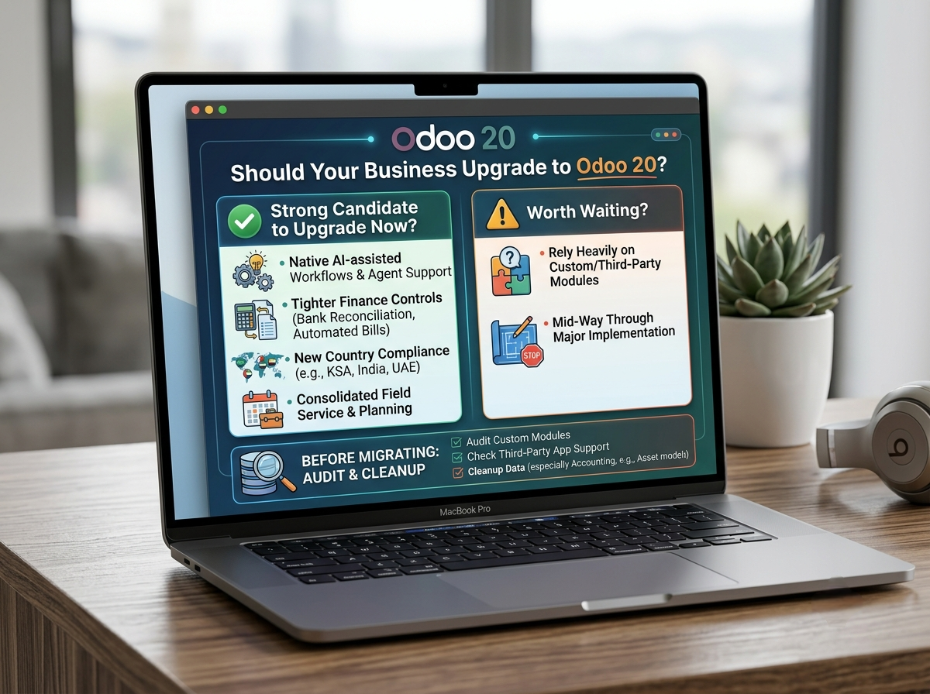
You're a strong candidate to upgrade soon if:
- You're already planning to adopt AI-assisted workflows and want native agent support rather than third-party tools.
- Your finance team would benefit from tighter bank reconciliation controls and automated bill entry.
- You operate in a country with new compliance requirements covered in this release (e.g., Saudi Arabia, India, UAE).
- You're using Field Service and want to consolidate it with Planning rather than maintain it separately later.
It may be worth waiting if:
- You rely heavily on custom modules or third-party apps that haven't yet confirmed Odoo 20 compatibility.
- You're mid-way through a major implementation project and want to avoid changing scope.
Before migrating, it's worth auditing three things: custom module compatibility, third-party app support, and data cleanup particularly around Accounting, where asset models have been replaced by depreciation models and payment status labels have changed. A clean data set makes for a far smoother migration than trying to fix inconsistencies after the fact. This is typically the first thing we check during an Odoo upgrade assessment.
Final Thoughts
Odoo 20 is a release built around reducing manual work whether that's an AI agent creating a record for you, an accounting rule preventing a reconciliation mismatch, or a new industry package that skips months of custom configuration. The breadth of change means different teams will care about different parts of this release: finance leads will focus on Accounting, operations teams on the Field Service–Planning merge, and IT on AI and MCP connectivity.
The right move is rarely to upgrade the day a release ships, nor to wait indefinitely. Understanding what's actually changed and how it applies to your specific setup is the first step to making that call with confidence.
Ready to Explore Odoo 20 for Your Business?
Odoo 20 brings real operational value, but getting the most out of it depends on how well the upgrade is planned from custom module compatibility to data cleanup. If you want a second opinion on whether now is the right time to move, Creyox can walk through your current setup and map out what an Odoo 20 upgrade would actually involve for your business. You can also explore our published solutions directly on the Odoo Apps Store, or get in touch to start the conversation.
Frequently Asked Questions
Upgrading Odoo itself follows Odoo's standard licensing. New AI features in Odoo 20 additionally require separately purchased IAP credits.
The most significant shift is the expansion of AI agents across the platform, combined with a major restructuring of the Accounting app around bank consistency and automated bill entry.
No. Field Service has been discontinued as a standalone app, and its features are now built into the Planning app.
Yes. All AI features in Odoo 20, including AI agents and the AI Website Assistant, now require IAP credits, which are purchased through Odoo.
Not automatically. Custom modules and third-party apps should be checked for Odoo 20 compatibility before migrating, since underlying structures (like Accounting's asset models) have changed.