If you run Odoo 19 today, the question behind Odoo 19 vs Odoo 20 is practical: does this release fix a problem you have, or does it just create migration work? The answer differs by company. Odoo 20 makes deep changes to AI, Accounting, Payroll, Planning, and access rights, and some of those changes affect how your team works day to day.
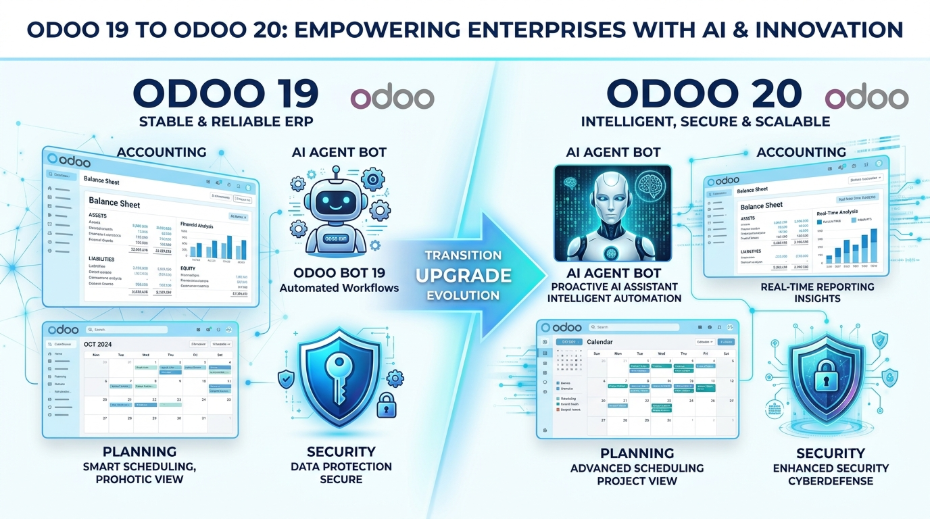
This guide separates what is structurally different (replacements, renames, merges, and removals) from what is genuinely new. It also flags features labeled as available from earlier versions, so you don't credit Odoo 20 with things you may already have. It ends with a decision framework so you can judge whether to upgrade now, later, or not yet.
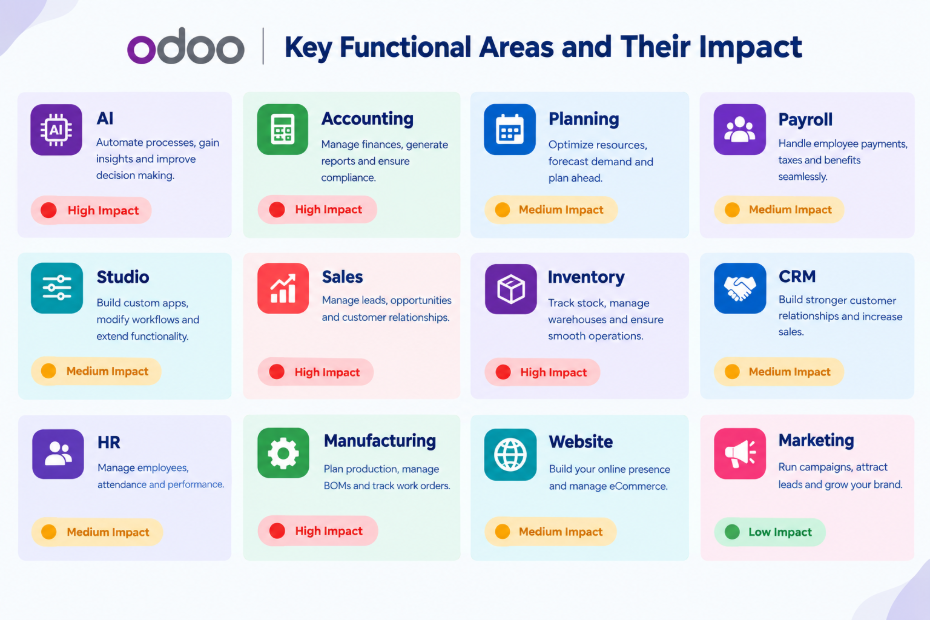
Odoo 19 vs Odoo 20 at a Glance
Area | What changed in Odoo 20 | Impact on existing users |
AI | Agents can create and update records; "topics" renamed "skills"; MCP connectivity; all AI features need IAP credits | High if adopting AI |
Accounting structure | Asset models replaced by depreciation models; account groups replaced by parent accounts | High |
Accounting workflow | Bank-consistency rule; payment statuses renamed; bill line prediction | High |
Field Service / Planning | Field Service app discontinued and merged into Planning | High if used |
Payroll | Revamped dashboard; work entries removed; contract dates locked once payslips exist | High |
Employees / Time Off | Remote Work merged into Employees; time off deducted by working or calendar days | Medium |
Inventory | Retroactive COGS updates; simplified returns; improved intercompany flows | Medium |
Manufacturing | Flexible consumption always on; single Produce button; continuous production | Medium |
Sales / eCommerce | Quotation template upgrades, Sales dashboard, TikTok and Lazada integrations | Low to Medium |
Studio / Technical | Record rules removed; tracking values removed; push notifications no longer use Firebase | High for custom setups |
Online Payments | SOFORT no longer supported; new providers and methods added | Low to Medium |
Localizations | Updates across dozens of countries, some tied to compliance | High in affected countries |
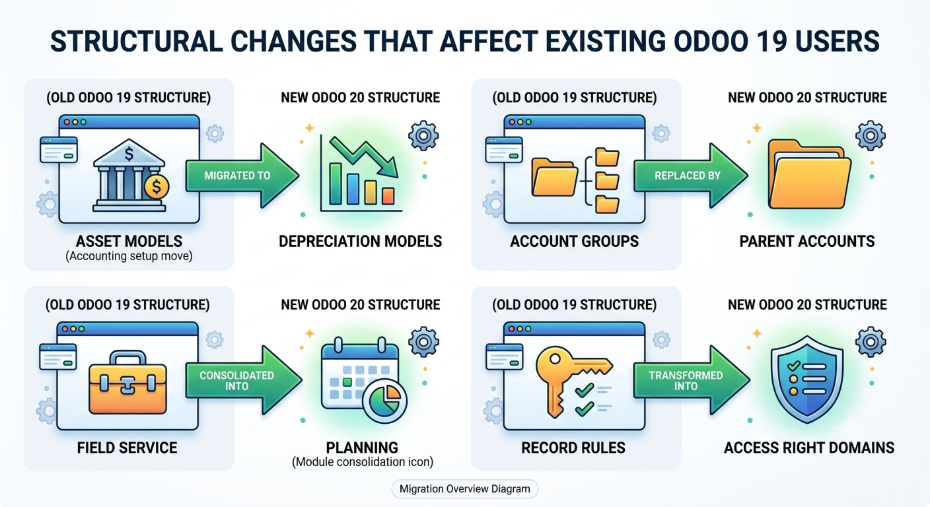
Structural Changes That Affect Existing Odoo 19 Users
These are the changes the release notes describe as replacements, renames, merges, or removals. They matter most for an upgrade because they can require reconfiguration, retraining, or a review of custom code.
Asset models replaced by depreciation models. Depreciation models now focus on the calculation logic of fixed assets, and asset-related configuration and automated behaviors sit on the asset accounts themselves. In practice: review your existing asset setup and expect accountants to relearn where configuration lives. Odoo's Accounting app page gives a good overview of the module.
Account groups replaced by parent accounts. Parent accounts now structure the chart of accounts, and account codes are optional. In practice: check any reports, imports, or integrations that rely on account groups or assume every account has a code.
Payment statuses renamed. "In Process" is now "Paid," and "Paid" is now "Reconciled." The manual "Mark as Reconciled" button moved to the action menu. In practice: retrain the team, and update any internal documentation or filters that use the old labels.
Field Service discontinued and merged into Planning. The Field Service app no longer exists on its own, and its features now live in Odoo Planning. In practice: if you use it, plan the transition and re-check your shifts, worksheets, and workflows.
Remote Work merged into Employees; work entries removed. The Remote Work module is part of the Employees app. Work entries and the Planning-Payroll integration are gone, and work entry types and time off types are merged. In practice: Payroll teams should review how attendance and leave feed payslips.
Record rules removed. Access rights now carry a domain directly, replacing record rules. In practice: audit every access setup, especially custom rules, since this is a change to your security model.
Mail tracking values removed. The tracking message is now generated on the fly. Features built on tracking values, such as burndown charts and stage duration, were updated. Admins who still need tracking values can install a dedicated module. In practice: review custom reports or code that read tracking values.
Flexible consumption setting removed from BoMs. All manufacturing orders now use flexible consumption by default, whether or not a bill of materials is selected. In practice: confirm that your production controls don't depend on strict consumption.
"Topics" renamed "Skills." The name changed for the collections of instructions and tools that define how an AI agent behaves in a given context. In practice: mostly documentation and training.
Push notifications moved off Firebase. Odoo's in-house push tools now handle them. In practice: IT should verify any notification setup that relied on the old provider.
Simplified returns. The return wizard has been removed and the process simplified. In practice: warehouse staff will follow a different flow.
Other removals to check: the standalone Employee Expenses menu item (approved expenses now generate draft bills), the "Under Repair" status in Repairs, the Mondial Relay pickup module for eCommerce (still available through Sendcloud), and SOFORT as a payment method.
What's Genuinely New in Odoo 20
AI and Agentic Automation
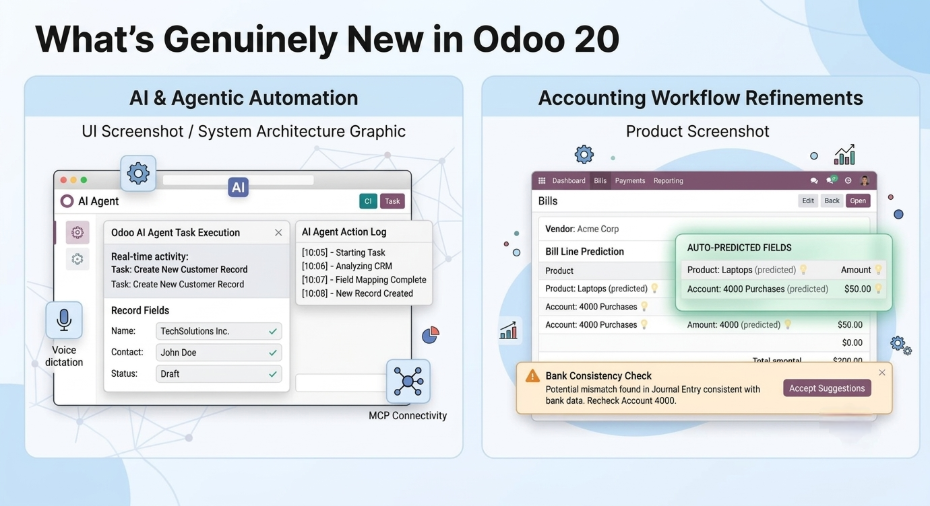
AI is the largest theme of the release. Agents can create and update records, answer questions about a file while you preview it, generate images, and accept dictated requests by voice. They can also be summoned by automated and scheduled actions and update themselves to fit their use case.
Odoo can now connect to your database through MCP (Model Context Protocol), an open standard you can read about in the official MCP documentation. Odoo can also select an AI model automatically once you choose a provider. The AI Website Assistant can create pages, edit menus, and build or modify forms.
The main cost consideration is that all AI features now require credits bought via IAP. Conversations with agents are stored for up to 30 days after the last message. Budget for usage before you roll out AI-heavy workflows. If you want help scoping AI adoption, our Odoo implementation team can help you plan it.
Accounting
- Bank consistency: every journal entry that affects a bank account must originate from a bank transaction, which prevents manual mismatches.
- Bill line prediction: Odoo suggests the product, account, tax, analytic distribution, and vehicle from bill history and labels. Values you enter manually on existing lines are preserved.
- Pay bills from Odoo: a new PISP interface lets you pay bills singly or in batches with one signature.
- Cumulative Translation Adjustment (CTA): an auditable line on the balance sheet, trial balance, and general ledger balances discrepancies caused by different exchange rate types.
- Duplicate detection: red and yellow warnings flag likely and possible duplicate invoices. The notes tag this feature "available from 19.0," so see the next section.
Operations
- Continuous production: produced quantities can be recorded on work orders, and later operations start as soon as some quantities are ready.
- Retroactive COGS update: if a product's cost changes after delivery, for example through a landed cost, the delivery's value is updated.
- Intercompany flows: you can resupply one company from another and deliver a sales order from another company's warehouse.
- Suggested reordering levels: minimum and maximum stock levels are proposed from demand history, desired days of coverage, and order frequency.
Sales and eCommerce
Quotation templates gain subsections and options such as "Hide Price" and "Hide Composition," and any quotation can be saved as a template. Sales adds payment-based commissions and manager commission roll-ups. A Sales dashboard now sits above the list views, and marketplace integrations with TikTok and Lazada fetch orders and sync inventory. The notes tag those two integrations "available from 19.0," so check whether your version already has them. eCommerce customers can also start returns from the portal.
HR and Payroll
The Payroll dashboard now focuses on setup warnings and day-to-day pay control. New tools include net-to-gross simulation, salary indexation by percentage or fixed amount, and payslip sending options (on confirmation, on payment, or manually). Contract dates can no longer be changed if that would affect existing payslips. You must revert those payslips first.
Not Everything "New" Is Exclusive to Odoo 20
Many entries in the release notes carry tags such as "(available from 19.0)," "(available from 18.0)," or "(available from 17.0)." Those features are not exclusive to Odoo 20. The notes list them because they are part of the release scope, but they may already be available in your version.
Examples from the notes:
- Improved duplicate detection for invoices and bills is tagged "available from 19.0."
- Importing product variants with variant-specific data is tagged "available from 19.0."
- Alphanumeric CNPJ support in Brazil is tagged "available from 17.0."
- Peppol global location identifiers are also tagged "available from 17.0."
If a feature is your main reason to upgrade, check whether your current version already has it. The tags show that availability differs by feature, so treat this as a checking step rather than an assumption.
Upgrade Costs and Risks to Plan For
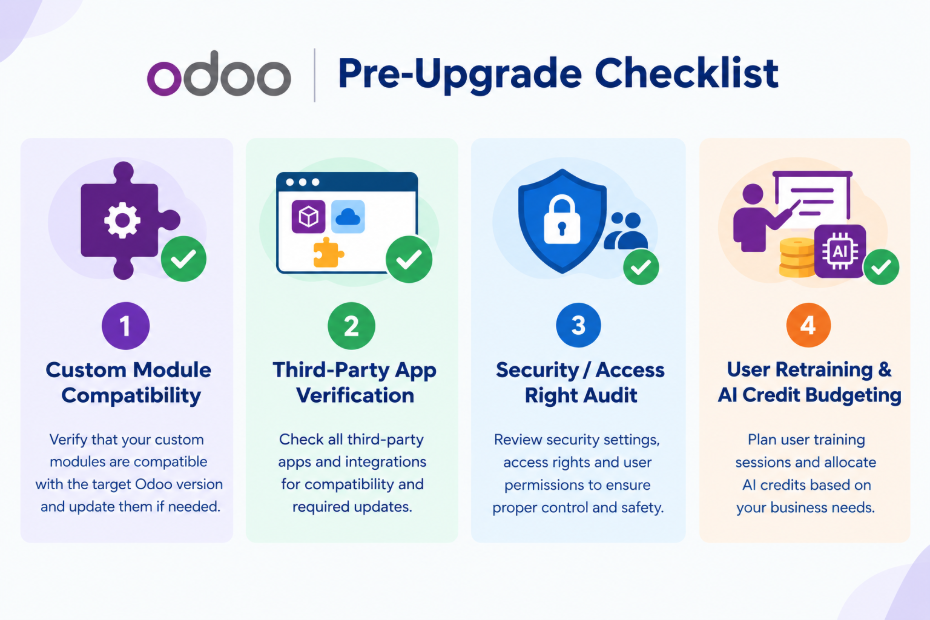
Use this as a pre-upgrade checklist:
- Custom module compatibility: every custom module needs a review. Changes to access rights, tracking values, and Accounting structures are the likeliest to break custom code. Our Odoo customization team handles these reviews regularly.
- Third-party apps: confirm each one supports Odoo 20 before you commit. You can also see whether pre-built options exist in the Odoo Apps Store.
- Accounting data review: assets, chart-of-accounts structure, payment statuses, and reconciliation settings all change.
- Access rights and automations: revisit every rule after the record-rule change.
- Payroll setup: review how work entries, time off types, and working schedules feed payslips.
- User retraining: renamed statuses, merged apps, and simplified returns all need staff briefings.
- AI credit budget: since all AI features need IAP credits, estimate usage before enabling agents widely.
- Localization check: if you operate in a country with compliance updates, read that country's notes before you plan timing.
Who Should Upgrade to Odoo 20 Now, and Who Should Wait
Consider upgrading soon if you:
- Use Field Service and want to move to the merged Planning setup.
- Want native AI agents, MCP connectivity, or the AI Website Assistant, and can budget for IAP credits.
- Operate in a country with new compliance work in the notes, such as Saudi Arabia, India, the UAE, Brazil, or Türkiye.
- Want tighter bank controls, bill line prediction, and the new depreciation-model structure in Accounting.
- Run multiple companies and need the improved intercompany flows.
Consider waiting if you:
- Depend heavily on custom code or third-party apps that haven't confirmed Odoo 20 support.
- Are mid-way through an implementation or another major project.
- Have a stable Odoo 19 setup and no pressing need for what Odoo 20 adds.
- Can't spare time for Accounting data review and staff retraining right now.
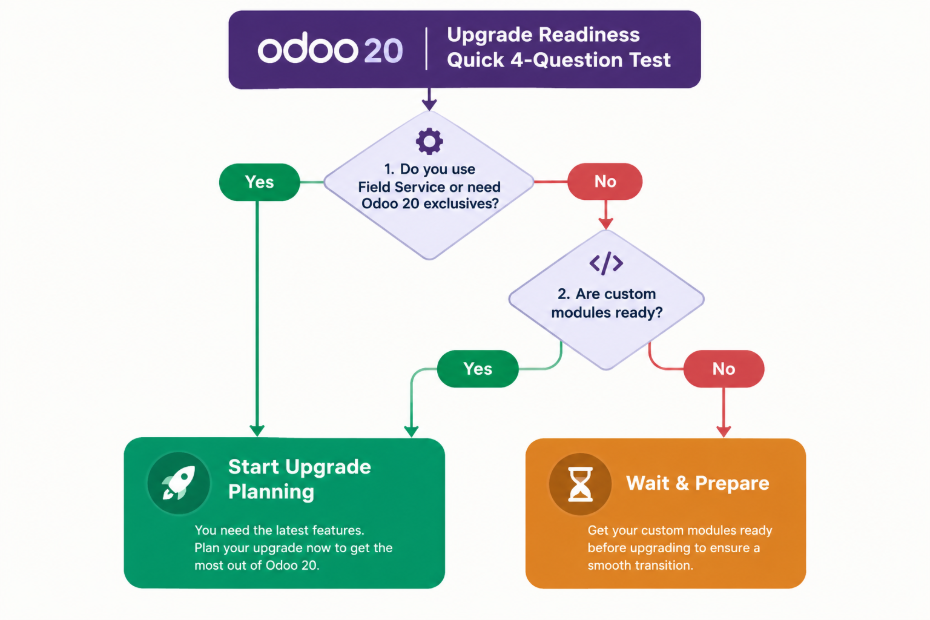
A quick test: answer yes or no to these four questions.
- Do you use Field Service, or need a feature that only Odoo 20 offers?
- Do you need AI agents and have a budget for IAP credits?
- Does your country's compliance work in the notes apply to you?
- Are your custom modules and third-party apps ready for Odoo 20?
If you answer yes to two or more, and question 4 is one of them, start planning an upgrade. If question 4 is a no, fix that first.
How the Upgrade Process Typically Works
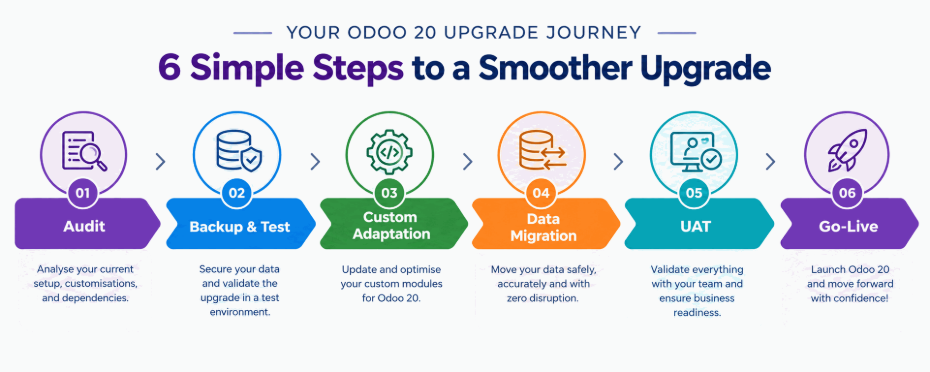
Timelines and effort vary by database, so treat this as a generic outline. Odoo also runs its own upgrade platform for testing database upgrades, which is worth reading about before you start.
- Audit: inventory your apps, custom modules, integrations, and access rules.
- Backup and test database: create a copy and run the upgrade there first.
- Custom module review: adapt or rewrite code affected by the structural changes above.
- Data migration and cleanup: pay particular attention to Accounting and Payroll data.
- User acceptance testing: have each department test its real workflows.
- Go-live and monitoring: cut over, then watch for issues and support your users. Our Odoo migration services cover each of these stages, and our Odoo support team can stay on after launch.
Final Verdict
Odoo 20 is worth upgrading to when it solves a concrete problem for you: Field Service consolidation, AI agents, new compliance requirements, or a stronger Accounting structure. It is a larger change than a routine update, because record rules, asset models, work entries, and several apps all changed shape.
If your Odoo 19 system runs well, your custom code is heavy, or you're mid-project, waiting is a legitimate choice. Don't wait indefinitely, though. Audit your custom modules and third-party apps now so the decision is quick when you're ready.
Not Sure Which Side You're On?
An upgrade assessment can tell you what Odoo 20 would change in your specific setup before you commit. Creyox can review your modules, customizations, and data, and give you a plain view of the effort involved. You're welcome to get in touch whenever you're ready.
Frequently Asked Questions
It depends on your needs. Odoo 20 adds agentic AI, Accounting refinements, and Field Service merged into Planning. But it also replaces or removes several older structures, so the benefit depends on your workflows.
Upgrade if you need features like AI agents or Planning's merged Field Service, or face new compliance requirements. Wait if you rely on unverified custom modules, are mid-project, or have a stable setup with no pressing need.
The biggest differences are AI agents and skills, depreciation models replacing asset models, parent accounts replacing account groups, Field Service merged into Planning, removed record rules, and removed work entries.
The release notes don't address upgrade paths, so we can't confirm this from them. Check Odoo's official documentation or ask a migration partner before planning a version skip.
Yes. According to the release notes, all AI features now require credits, which can be bought via IAP. Estimate your expected usage before enabling AI broadly.