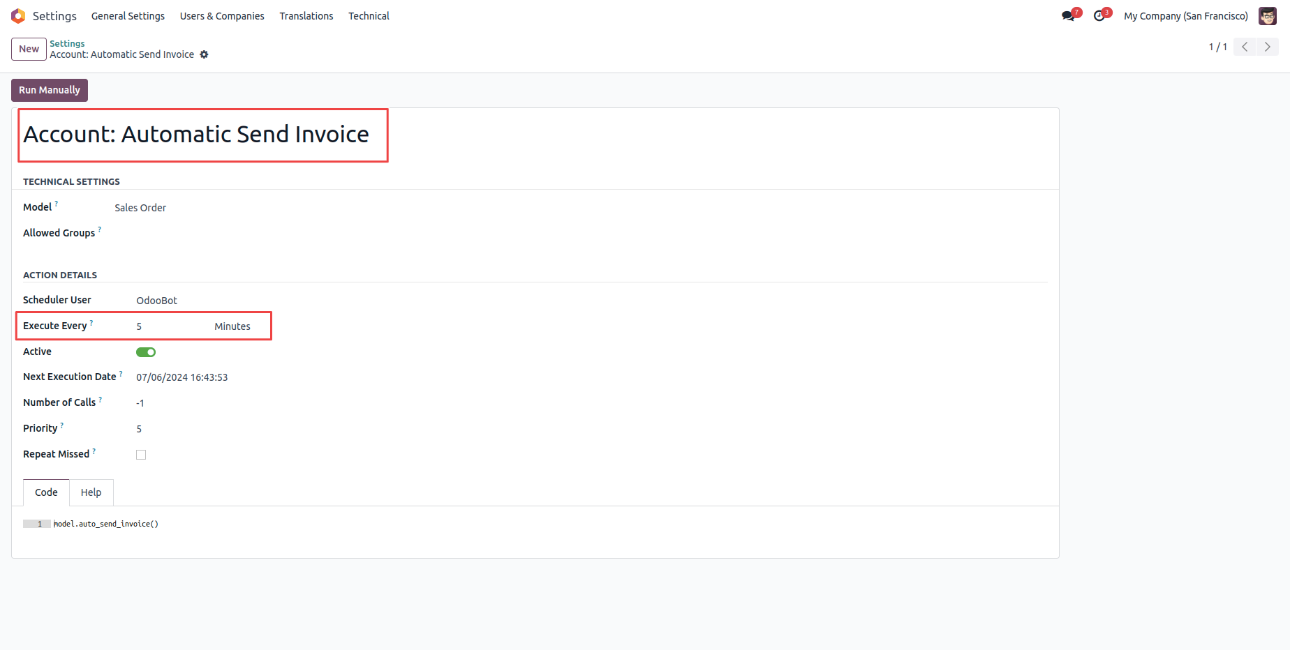
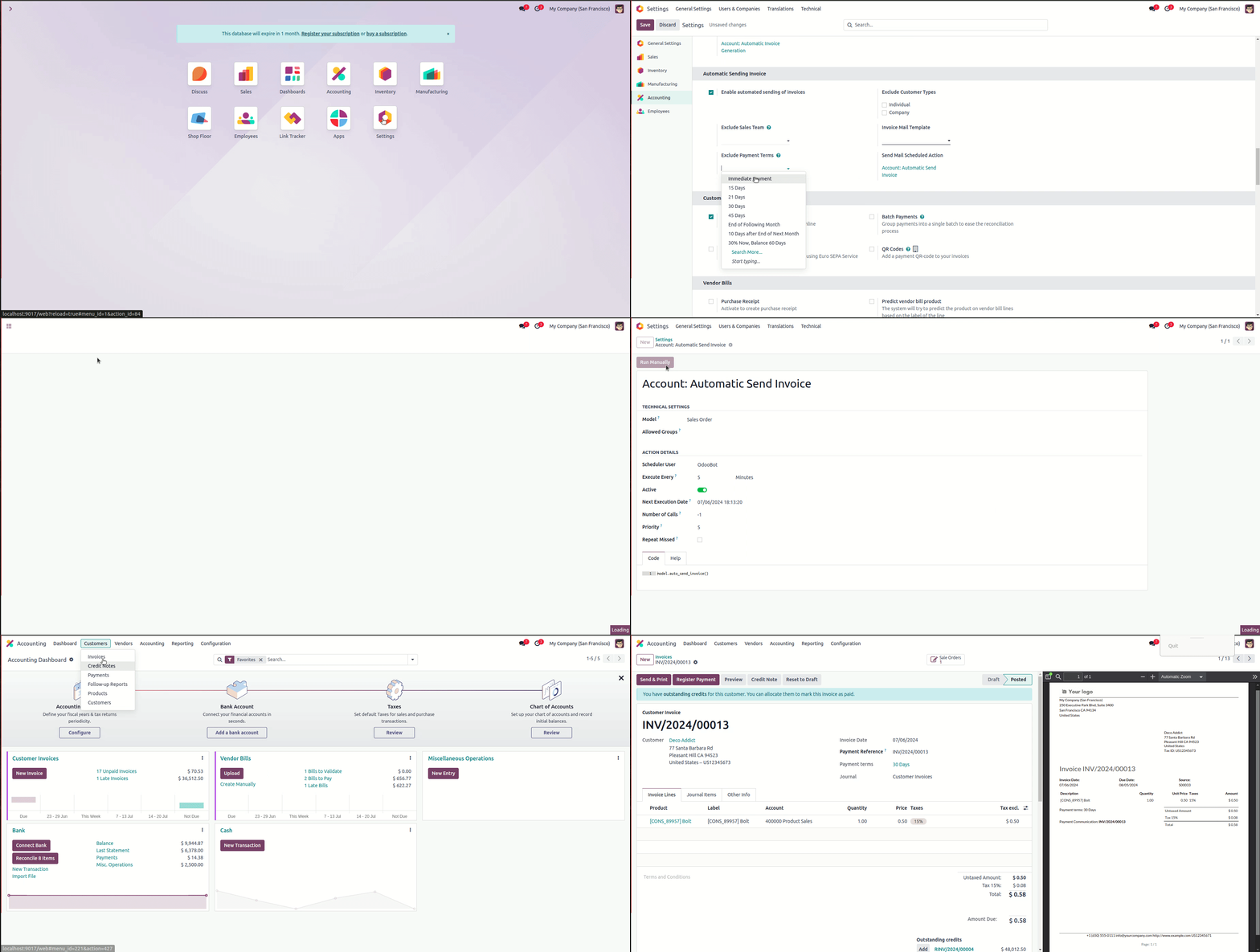
Features
- Suitable for Both Community and Enterprise Version
- Goal is to Automatically Generate & Send Invoice to Customer.
- Automate the Invoice Generation and Sending Invoice of sale order based on configuration selected from settings and cron action defined.
Automatically Generate & Send Invoice
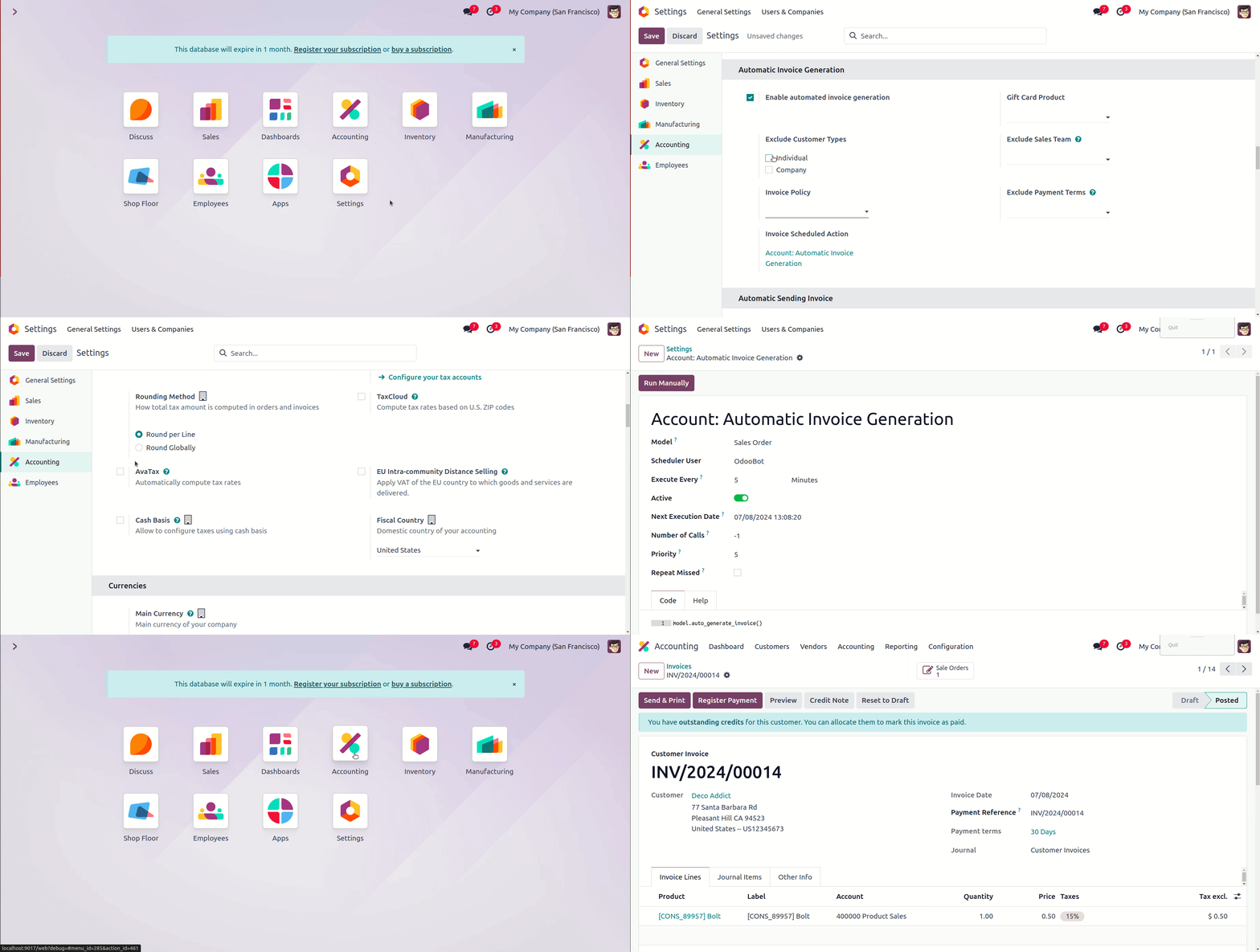
- Navigate to Settings >> Accounting.
- Here user will find a configuration as Automatic Invoice Generation.
- On checking the Boolean Box user will some other configuration and can select the configuration as per their needs and then Save it.
- Configurations can be as exclude parameters like Exclude Customer Types, Exclude Sales Team, Exclude Payment Terms also other configurations like Invoice Policy and Gift Card Product.
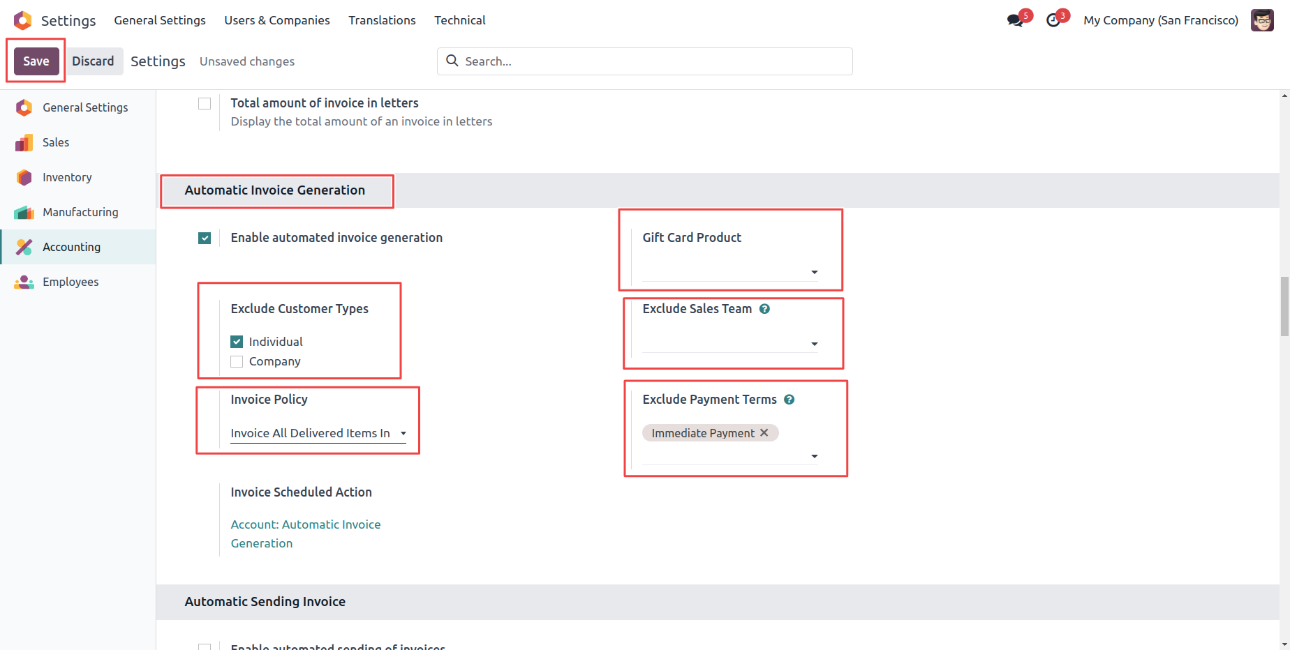
- With it user will also see the Cron Job/Schedule Action and on clicking it will redirect to Schedule Action created.
- There are Schedule Action/Cron jobs created as Account: Automatic Invoice Generation with execution time of every 5 minutes when it is triggered it finds sales order with state draft then confirms it and set as Sale Order.
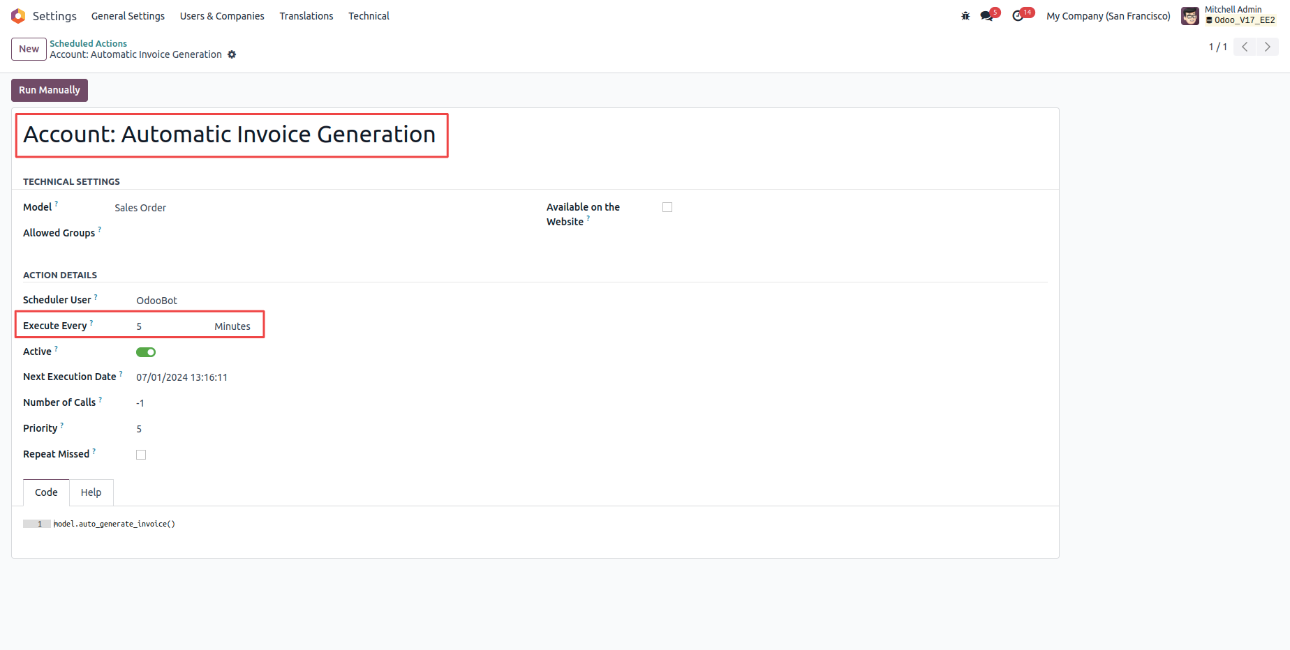
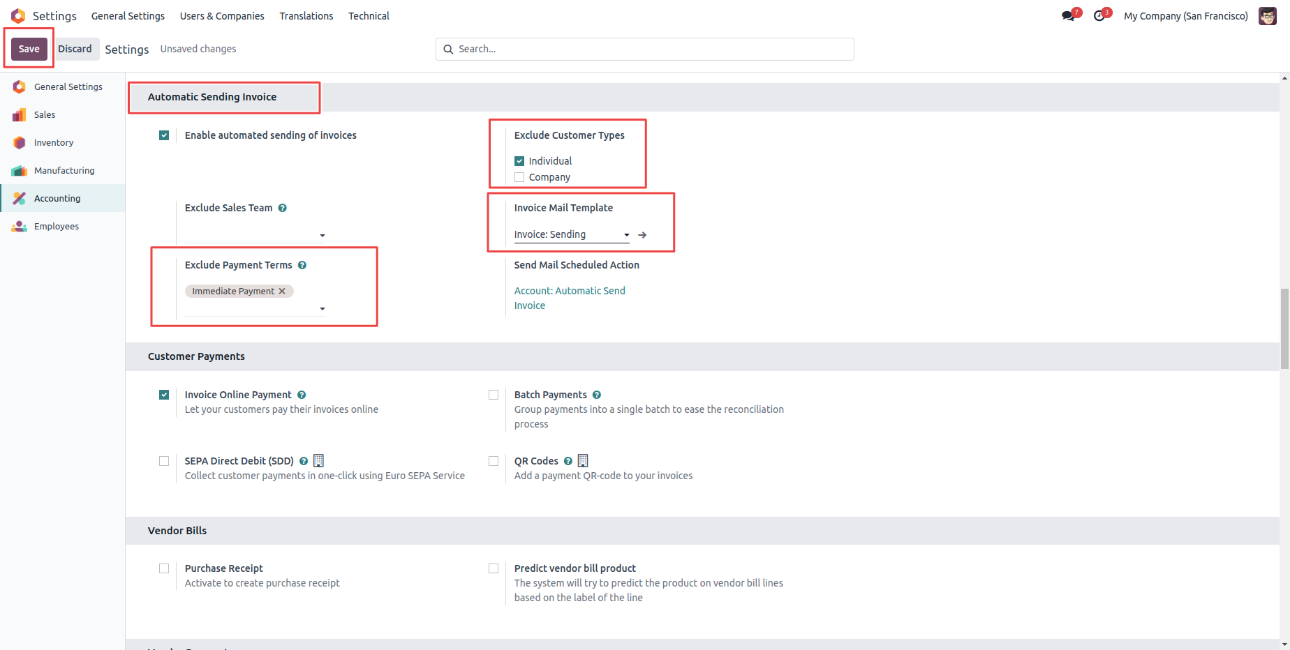
- Similarly user will find a configuration as Automatic Invoice Generation in Settings >> Accounting.
- On checking the Boolean Box user will some other configuration and can select the configuration as per their needs and then Save it.
- Configurations can be as exclude parameters like Exclude Customer Types, Exclude Sales Team, Exclude Payment Terms also other configurations like Invoice Mail Template.
- There are Schedule Action/Cron jobs created as Account: Automatic Invoice Generation with execution time of every 5 minutes when it is triggered it finds sales order with state draft then confirms it and set as Sale Order.